
Agent workflows
Use Claude, Codex or Cursor to Build Storyboards and Generate Video with MCP
Connect your agent, organize shots and submit media tasks, with clear limits on spending, retries and key access.
On this page
- Start with a shot plan, then generate
- Create a key and connect your client
- Use the tools in a deliberate sequence
- Paid calls charge directly; new keys have no cap
- Distinguish a network retry from another generation
- Give the key only to a client you trust
- Connect your own API channels and third-party relays
Start with a shot plan, then generate
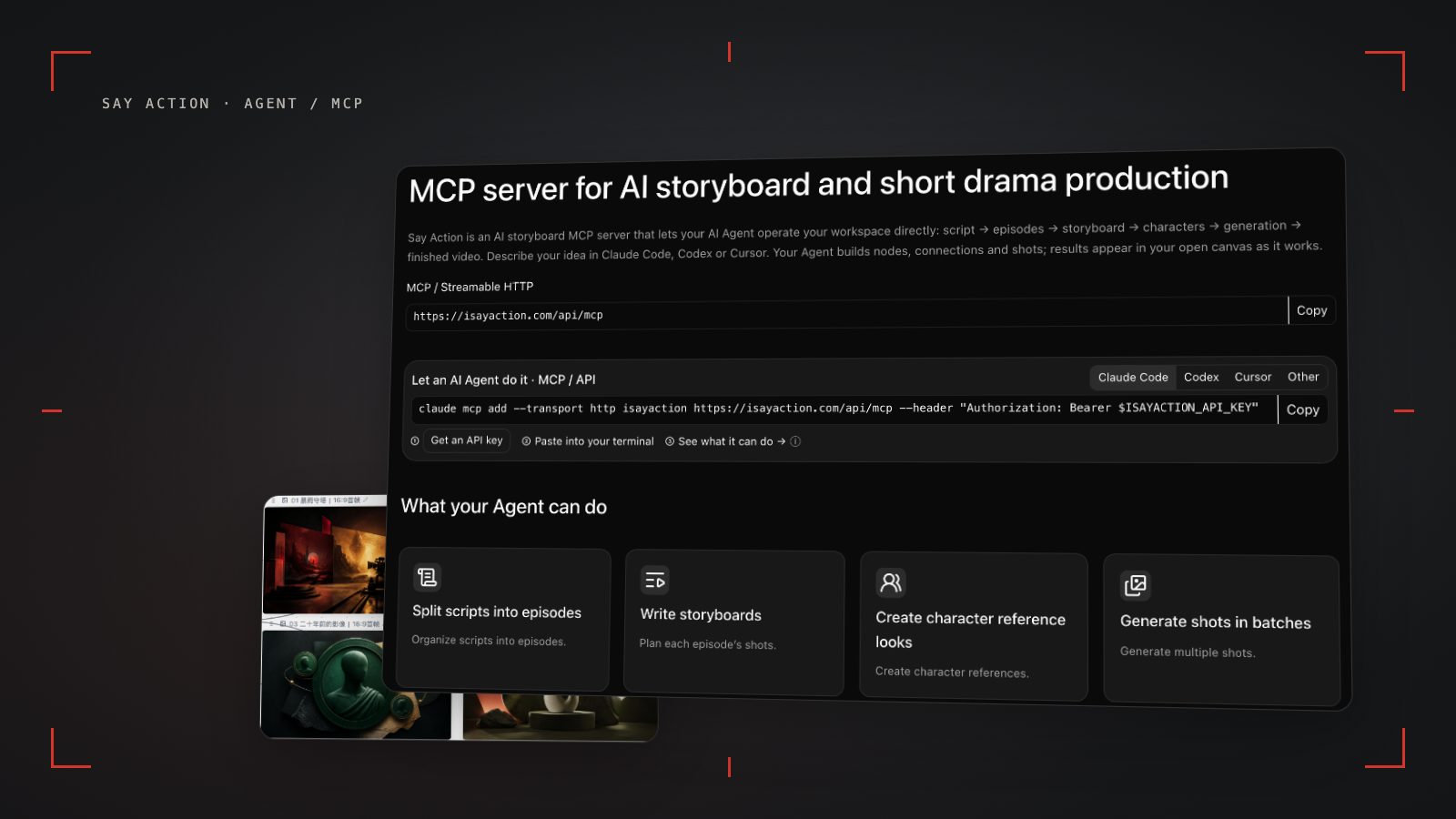
Claude Code, Codex and Cursor can use the Say Action MCP server to work on your projects and canvases and submit image or video tasks. Your agent interprets the brief; MCP tools read and write the workspace and submit generation jobs. Results still depend on the model and reference assets.
Start with one episode and a few shots. Review the storyboard before generating. This guide covers setup and operating limits; the existing English tutorial has a worked sequence of agent requests.
Create a key and connect your client
Open /mcp, choose the Claude Code, Codex or Cursor card, click Get a key and sign in. In the one-time key dialog, save a spending limit before copying the connection configuration. Use /access-keys later to manage scopes, edit the cap or revoke access. Keep the yc_live_ key in your local ISAYACTION_API_KEY environment variable, never in an agent prompt.
Endpoint: https://isayaction.com/api/mcp. The server uses Streamable HTTP and Authorization: Bearer yc_live_... authentication. A browser cookie cannot replace the key.
Claude Code (Unix shell): claude mcp add --transport http isayaction https://isayaction.com/api/mcp --header "Authorization: Bearer $ISAYACTION_API_KEY"
Codex: codex mcp add isayaction --url https://isayaction.com/api/mcp --bearer-token-env-var ISAYACTION_API_KEY
Cursor MCP configuration: { "mcpServers": { "isayaction": { "url": "https://isayaction.com/api/mcp", "headers": { "Authorization": "Bearer ${env:ISAYACTION_API_KEY}" } } } }
For unattended codex exec runs, set default_tools_approval_mode = "approve" under [mcp_servers.isayaction] in ~/.codex/config.toml. This permits automatic tool execution, so set your key cap first. Client approval settings and server billing are separate controls.
Use the tools in a deliberate sequence
Read the balance and model capabilities with get_account and list_models, then choose a workspace with list_projects / create_project and list_canvases / create_canvas. Ask the agent to split the source script into episodes before calling import_script. That tool stores prepared units; it does not invoke a model to split the text. Inspect units with list_units and get_unit_workspace, and work on shots with set_unit_shots, create_shot and revise_shot.
Before editing the canvas, read canvas_list_node_types and canvas_get_state. Create a table with canvas_create_storyboard, read its rows with canvas_read_storyboard, edit shots with canvas_edit_storyboard and use canvas_apply_ops to add nodes, update supported fields and connect nodes. It cannot delete or reposition existing nodes. Writes that require a snapshot must use the current snapshotHash. Return get_canvas_link so you can open the result.
Once you have reviewed the shots and selected a model, submit with generate_media and check results with get_generation or wait_generations. Use list_recent_generations to inspect recent jobs. retry_generation starts another attempt and may incur another charge. A useful first request: “Break this scene into three shots, preserve the dialogue and return the canvas link. Wait for my review before generating video.”
Paid calls charge directly; new keys have no cap
Paid MCP calls deduct credits directly; the server does not pause for approval on each call. New keys are unlimited by default. Agent loops, mistakes or a leaked key can keep spending. Fees for your external client or its model are separate. A built-in Agent task budget and a key's cumulative spending cap are also separate settings.
Click Save spending limit in the key dialog, or open /access-keys, choose Edit limit and save. The cap is cumulative for that key, not monthly; refunds and key rotation do not reset usage. The key page shows usage warnings at 80% and 100%. With API limit alerts enabled, the service also creates notifications; email delivery depends on mail configuration. The cap blocks new paid calls when reached. A limit of 0 blocks paid calls without cancelling tasks already submitted.
Credits are estimated from channel pricing; final deduction follows the price tiers configured in the admin backend. Per-second video billing is pre-authorized by requested seconds; if upstream output exceeds the request, a small concession difference may occur.
When the upstream explicitly reports failure, reserved credits are refunded; tasks with unclear network status stay pending review to avoid double settlement.
Distinguish a network retry from another generation
Write tools, including paid generation tools, require an idempotencyKey of 8–128 characters. After a network error, retry the same operation with its original key and identical arguments. Do not switch keys and submit blindly. Changed arguments describe a new operation and need a new key.
For idempotency_key_pending, wait and inspect the current state. outcome_unknown means the result is uncertain: check the task or object before doing anything again. A saved result is returned as-is; idempotency_key_conflict means the same key was used with different arguments. Keep task IDs so get_generation can resolve what happened.
Give the key only to a client you trust
A key grants access within its scopes, so choose only the permissions the client needs. The secret is shown when created or rotated. Keep it out of public repositories, shared configuration, screenshots, canvases and chat logs. Using an environment variable does not make a terminal screenshot safe to share.
Revoke unused keys at /access-keys. If a key may have leaked, revoke or rotate it immediately and review its usage and tasks. Your client can submit prompts and reference assets; check the project, model and key it intends to use before starting.
Connect your own API channels and third-party relays
In model-channel settings, enter the Base URL and API key, then configure the protocol, model IDs and required headers from your provider's documentation. Check the image and video modes you need before generating. Paths, resolutions and first/last-frame inputs depend on the connected channel. An adaptation request for an unsupported channel is not a compatibility guarantee.
BYOK supports a custom API endpoint, model key and headers. For OneAPI, NewAPI or another relay, select the OpenAI, Gemini or Claude protocol that matches its actual API, then check model IDs and image/video endpoint support. Not every relay or private protocol works automatically. BYOK model calls have no platform model markup or platform generation-credit deduction; workspace access and provider usage are still billed separately.
Connect only trusted providers and use HTTPS in production. Custom requests are forwarded through the authenticated backend; required prompts, reference assets and credentials take part in the request. Never put API keys, passwords or secret-bearing headers in public canvases, screenshots or support requests.
Frequently asked questions
Can Claude generate video through MCP?
It can submit a model task with generate_media and inspect it with get_generation. Claude organizes and initiates the work; the selected provider's model produces the video.
Does MCP ask before charging?
Paid calls charge credits directly, and new keys are unlimited. Set a cumulative key cap before running; client approval settings do not replace it.
Should I change the idempotency key after a timeout?
Do not change it blindly. Keep the original key and arguments for the same operation, and inspect uncertain outcomes before resubmitting.
Can I connect OneAPI, NewAPI and custom headers?
BYOK supports a custom API endpoint, model key and headers. For OneAPI, NewAPI or another relay, select the OpenAI, Gemini or Claude protocol that matches its actual API, then check model IDs and image/video endpoint support. Not every relay or private protocol works automatically. BYOK model calls have no platform model markup or platform generation-credit deduction; workspace access and provider usage are still billed separately.