
Seedance 2.0と2.5の使い方:動画の仕様、プロンプトの書き方、キャンバスでの手順

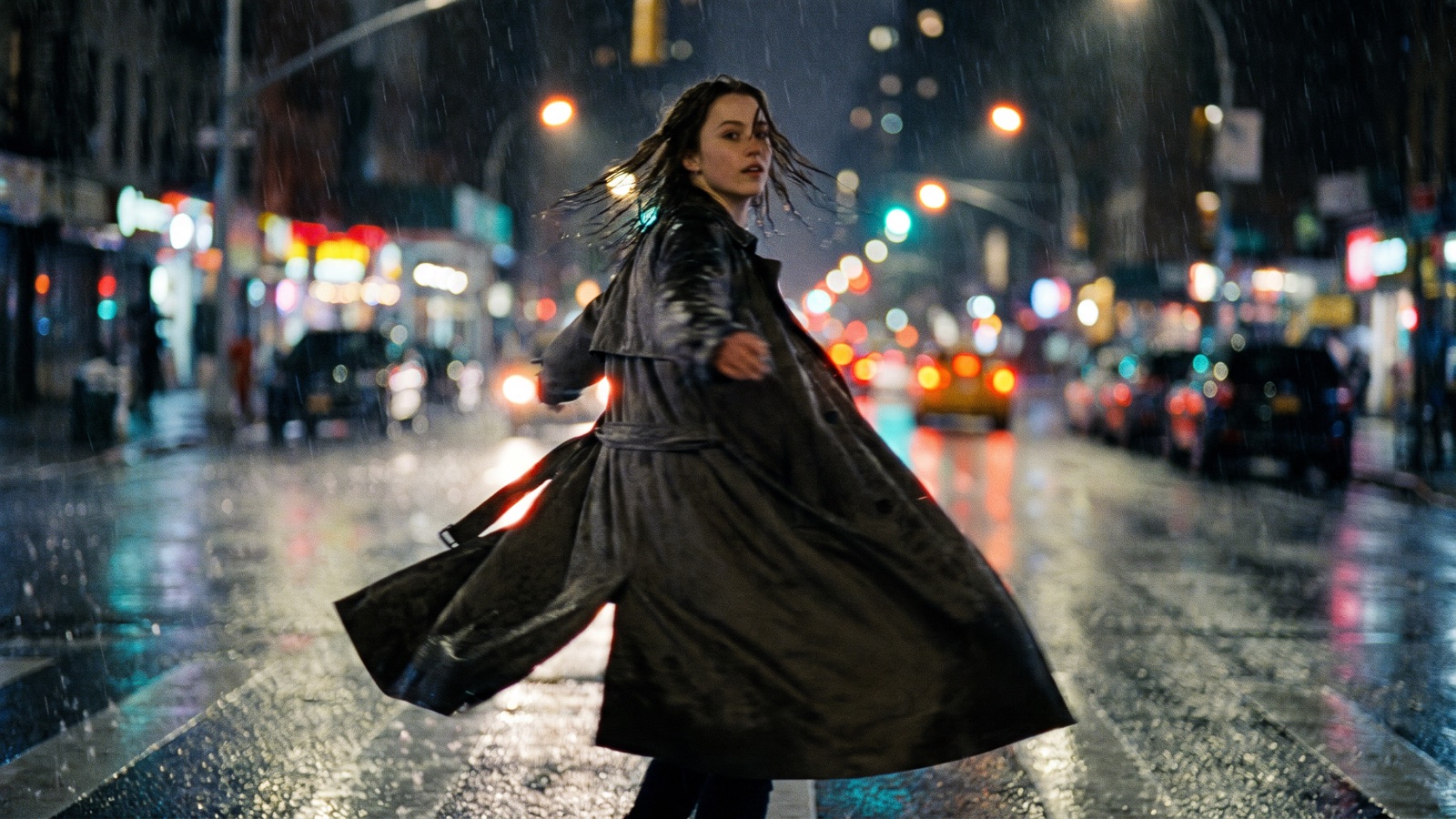
ByteDanceの動画生成モデルSeedance 2.0と2.5は、テキストからの動画生成、画像からの動画生成、映像と同期した音声の生成に対応しています。DramaCanvasでは動画ノードでSeedance 2.0、Seedance 2.0 Fast、Seedance 2.5を直接選べ、参照画像は最大9枚、Seedance 2.5なら1080pで参照動画を最大10本つなげます。このガイドでは、仕様の上限、長さのルール、プロンプトの書き方、キャンバスでの作業手順を解説します。
Seedance 2.0と2.5とは?どこが違う?
Seedanceの動画生成モデルはByteDanceが開発し、[ByteDance Seed](https://seed.bytedance.com)で公開されています。詳しい情報は[Seedance 2.5 モデルページ](https://seed.bytedance.com/en/seedance2_5)と[Seedance 2.5 の発表](https://seed.bytedance.com/en/blog/one-take-creation-flexible-referencing-introducing-seedance-2-5)に掲載されています。
ByteDanceの公式資料によると、Seedanceはテキストからの生成と参照を使った生成に対応し、同期した音声も合成できます。Seedance 2.5の発表では、参照動画の入力、カメラの動きの編集、複数の種類の参照を組み合わせる使い方が紹介されています。
DramaCanvasでは、Seedance 2.0、Seedance 2.0 Fast、Seedance 2.5が動画ノードに組み込まれています。ワークスペースでモデルを選び、上流の画像ノードから参照画像を動画ノードへつなげば、無限キャンバス上でショートドラマのカットを仕上げられます。
DramaCanvasでのSeedanceの仕様は?
DramaCanvasで動画ノードを設定すると、設定パネルにはモデルが対応する項目が表示されます。
下の表は、DramaCanvasでのSeedanceモデルの主な設定、入力の上限、音声の対応をまとめたものです。
| 仕様 | Seedance 2.0 | Seedance 2.0 Fast | Seedance 2.5 | メモ |
|---|---|---|---|---|
| 対応解像度 | 480p、720p、1080p | 480p、720p | 480p、720p、1080p | Seedance 2.0 Fastは720pまで、Seedance 2.0と2.5は1080pまで対応します。 |
| 縦横比 | 16:9、9:16、1:1、4:3、3:4、21:9 | 16:9、9:16、1:1、4:3、3:4、21:9 | 16:9、9:16、1:1、4:3、3:4、21:9 | スマホ向けの縦型動画には9:16を使います。 |
| 生成できる長さ | 4〜15秒 | 4〜15秒 | 4〜30秒 | 長さは「パラメータ」で設定します。標準的なカットなら5〜6秒です。 |
| 参照画像 | 最大9枚 | 最大9枚 | 最大9枚 | 1ファイル最大30MB。人物、衣装、背景の静止画を使えます。 |
| 参照動画 | 非対応 | 非対応 | 1080pで最大10本 | 参照動画を使えるのはSeedance 2.5の1080pだけです。 |
| 同期音声 | 対応 | 対応 | 対応 | 動画ノードの設定に「音声を生成」が表示されたらオンにします。 |
| 開始フレーム | 対応 | 対応 | 対応 | 画像から動画を作るときは、「開始フレーム」でつないだ画像を選びます。 |
Seedance 2.0、2.0 Fast、2.5はどう選ぶ?
必要なカットの長さ、参照動画を使うかどうか、目標の解像度でモデルを選びます。
下の表は、バージョンごとの仕様の違いです。
| モデル | 対応解像度 | 長さ | 参照素材 | 選ぶ場面 |
|---|---|---|---|---|
| Seedance 2.0 | 480p、720p、1080p | 4〜15秒 | 参照画像最大9枚、参照動画なし | 15秒までのカットを1080pで、テキストか参照画像だけで作るとき。 |
| Seedance 2.0 Fast | 480p、720p | 4〜15秒 | 参照画像最大9枚、参照動画なし | 15秒までのカットで、480pか720pで十分なとき。テキストか参照画像だけを使います。 |
| Seedance 2.5 | 480p、720p、1080p | 4〜30秒 | 参照画像最大9枚、1080pで参照動画最大10本 | 16〜30秒のカットが必要なとき、または1080pで参照動画を使うとき。 |
選び方の目安:
- カットの長さが4〜15秒:3つのモデルすべてが対応します。1080pが必要ならSeedance 2.0かSeedance 2.5を、480pか720pで十分ならSeedance 2.0 Fastを選びます。 - カットの長さが16〜30秒:最大30秒まで生成できるSeedance 2.5を選びます。 - 参照動画を使う:Seedance 2.5を選び、解像度を1080pにすると参照動画を最大10本つなげます。Seedance 2.0とSeedance 2.0 Fastは参照動画に対応していません。
無限キャンバスでSeedanceの動画を作るには?
DramaCanvasでは、ノードをつないで動画のシーケンスを組み立てます。最初のSeedance動画を作る手順は次のとおりです。
参照写真用の画像ノードを作る
画面下のツールバーで「ノードを追加」をクリックし、「制作ノード」から「画像」を選びます。自分の写真やキャラクターの静止画をアップロードするか、プロンプトを入れて基準となる人物画像を作ります。
動画ノードを追加してつなぐ
画面下のツールバーで「ノードを追加」をクリックし、「制作ノード」から「動画」を選びます。画像ノードの右側の出力アンカーから、動画ノードの左側の入力アンカーへ線をドラッグします。
モデルの設定をする
動画ノードを選んで入力パネルを開きます。モデルのドロップダウンで
Seedance 2.0、Seedance 2.0 Fast、Seedance 2.5のいずれかを選びます。「動画設定」を開いて「縦横比」で9:16を選び、解像度は1080p(Fastなら720p)、「長さ」は5秒にして「音声を生成」をオンにします。「パラメータ」の「開始フレーム」で、つないだ画像を選びます。動きのプロンプトを入れて送信する
テキスト欄にカメラと動きの説明を書きます。プロンプトパネル右下の上向き矢印の送信ボタンをクリックすると生成が始まります。
生成タスクのパネルで確認する:画面右上に「Current canvas generation tasks」のパネルが表示され、進み具合、段階、経過時間がわかります。完成した動画はキャンバス上の動画ノードの中に表示されます。複数のカットをつなげる方法は[[link:infinite-canvas-guide
無限キャンバス入門ガイド]]で紹介しています。
Seedance 2.0と2.5のプロンプトはどう書く?
Seedanceは、具体的な動きの演出、はっきりしたカメラ用語、明確な音の指示に最もよく応えます。抽象的な感情表現に頼らず、モデルが映像と音で表せる体の動き、光源、音を書きましょう。
Seedanceのプロンプトは、次の5つの要素で組み立てます。
[Subject & Identity] + [Core Physical Action & Pacing] + [Camera Motion & Composition] + [Environment & Lighting Details] + [Synchronized Audio & Ambient Sound]下のプロンプトは、縦型ショートドラマでよく使う場面ごとにまとめています。どれも「asks for」という中立的な書き方で、現実的な物理の細部を指定しています。
1. 縦型ショートドラマの対話シーン(9:16)
おすすめの用途: 縦型で撮る、緊迫した対立、近い距離での会話、2人の物語の場面。
A vertical medium close-up of a female detective in a charcoal trench coat speaking firmly to an unseen suspect across a table. The shot asks for steady eye contact, natural mouth movement articulating serious dialogue, subtle eyebrow shifts, and slight head nods on key phrases. Soft overhead fluorescent office lighting, dim Venetian blinds casting horizontal shadows on the back wall. Clean synchronized dialogue audio with faint background hum of office air conditioning.アレンジのヒント: female detective in a charcoal trench coatをyoung corporate heir in a tailored navy suitに変えたり、fluorescent office lightingをwarm amber streetlamp glow through a rainy windowに変えたりできます。
2. 複数の参照画像でキャラクターをそろえる
おすすめの用途: アップロードした写真やキーフレームを使って、顔立ち、衣装、髪型の参照画像を渡したいとき。
Use the connected photo as the face reference and keep the same face. Medium shot of the character shown in the connected reference photo, wearing a dark teal wool sweater and silver frame glasses. The character turns slowly from looking out a rain-streaked cafe window toward the camera, placing a ceramic coffee mug onto a dark wooden table. Soft window sidelight, subtle reflections on the tabletop, steady 9:16 framing. The shot asks for a synchronized gentle clink of the ceramic cup on wood and steady patter of rain outside.アレンジのヒント: dark teal wool sweaterをblack leather biker jacketに変えたり、rain-streaked cafe windowをcluttered bookstore aisle with warm shelf lightingに変えたりできます。
3. 格闘アクションのシーン
おすすめの用途: 足さばきや防御の動きを明確に指定した、振り付けのある格闘シーン。
A wide vertical action shot of a martial artist in loose black linen trousers dodging a swift wooden staff strike in an abandoned warehouse. The shot asks for the subject to duck under the horizontal sweep, pivot on one heel, and extend a forward palm strike. The shot asks for a steady camera tracking back slightly to keep full body in frame, with dust lifting from the concrete floor underfoot. Synchronized whoosh of the staff cutting through air, followed by a heavy footstep landing on gravel.アレンジのヒント: abandoned warehouseをbamboo forest clearing with misty ground fogに変えたり、wooden staff strikeをclose-quarters hand-to-hand deflectionに変えたりできます。
4. 路地での追跡とカメラの追従
おすすめの用途: 緊張感のある屋外の追跡、街の路地を走るカット、前へ進むダイナミックな追従撮影。
A vertical tracking shot moving backward ahead of a male protagonist running down a narrow cobblestone alley at dusk. The subject glances over his shoulder once, leaps over a wooden pallet, and continues sprinting forward with determined facial expression. Cold cyan evening sky overhead, warm neon shop signs casting red and yellow reflections on wet cobblestones. The shot asks for the camera to match the runner's speed while keeping the face in focus. Synchronized sound of rapid heavy boots splashing through shallow puddles and ragged breathing.アレンジのヒント: narrow cobblestone alleyをcrowded night market corridorに変えたり、male protagonist running down a narrow cobblestone alleyをcourier on a bicycle weaving through obstaclesに変えたりできます。
5. 環境音と同期した風景シーン
おすすめの用途: 状況説明のカット、場面転換、音で雰囲気を作る世界観のクリップ。
A low-angle static vertical shot of an empty crosswalk in a quiet residential neighborhood during a sudden summer downpour. Raindrops splash into asphalt puddles, with distant headlights reflecting across the wet pavement surface as a solitary car passes in the background. Dim streetlamp casting a circular pool of warm light on the glistening road. Synchronized sound of heavy raindrops drumming on metal awnings and water rushing into a storm drain.アレンジのヒント: summer downpourをlate autumn wind gust scattering dry golden leavesに変えたり、empty crosswalkをsolitary red telephone booth at twilightに変えたりできます。
6. 声のリズムに合わせて話すキャラクター
おすすめの用途: カメラに向かって話す独白、告白、電話のリアクションなど、口の動きと声を合わせたい場面。
A tight vertical close-up of a young man holding an antique brass pocket watch, speaking an earnest emotional apology directly toward the viewer. The shot asks for natural lip movement matching spoken phrases, subtle blinking, and a soft swallowing motion between sentences. Warm single-source key light from the left side, dark shadowy background emphasizing facial expressions. Synchronized clear vocal speech cadence with subtle ticking of the pocket watch.アレンジのヒント: young man holding an antique brass pocket watchをelderly woman wearing a knitted scarfに変えたり、キーライトをflickering fireplace glow creating warm dancing shadowsに変えたりできます。
7. 手触りのある効果音つきの商品紹介
おすすめの用途: CMのインサート、高級品の見せ場、ショートドラマで小道具を登場させるカット。
A slow macro vertical push-in on an amber glass perfume bottle resting on a slab of dark volcanic rock. A hand with manicured nails enters the frame, lifts the metallic cap, and sets it down beside the bottle. Sharp directional rim light catching the faceted glass edges and fine perfume mist floating in the air. Synchronized metallic click of the cap unfastening, followed by a soft tap on the stone surface.アレンジのヒント: amber glass perfume bottleをmechanical wristwatch on leather strapに変えたり、dark volcanic rockをfrosted glass surface with gentle backlightingに変えたりできます。
8. ちょっと怖くて楽しいハロウィンの短いクリップ
おすすめの用途: 季節のSNS用クリップ、ショートドラマの季節の間奏、ホリデーの告知ティザー。
A medium vertical shot of a carved jack-o'-lantern sitting on a weathered wooden porch step at twilight. A black kitten wearing tiny felt bat wings sneaks from behind the pumpkin, taps the carved pumpkin nose with one paw, and scrambles back curiously as the internal candle flame flares. Warm orange candlelight glowing through carved eyes and mouth, purple dusk sky in the background. Synchronized soft rustle of autumn leaves, kitten meow, and faint crackle of candle flame.アレンジのヒント: black kitten wearing tiny felt bat wingsをgolden retriever puppy wearing a tiny wizard hatに変えたり、ほかの仮装やポスターのアイデアをハロウィンAIプロンプトガイドで探したりできます。
Seedanceで、あいまいなプロンプトと具体的なプロンプトはどう違う?
Seedanceはプロンプトを文字どおりに解釈します。あいまいな流行語では構図や動きが運任せになりますが、具体的な物理の描写はモデルにとって使える手がかりになります。
下の表は、よくある動画の用途ごとに、ありがちなプロンプトと具体的なプロンプトを比べたものです。
| シーン | ありがちな書き方 | おすすめの具体的なプロンプト | 具体的なプロンプトがモデルに伝えること |
|---|---|---|---|
| ドラマの対話 | "Intense dramatic conversation between two people in high quality 4K movie style." | "Medium close-up vertical shot of two business rivals facing each other across a boardroom table. The shot asks for subtle facial tension, natural speech mouth movement, steady eye contact, and sharp side lighting." | 画角(ミディアムクローズアップ)、人物の位置(会議テーブル)、具体的な顔の動き(口の動き、視線)、光の向きを指定しています。 |
| 格闘アクション | "Epic kung fu martial arts fight scene with cool kicks and crazy explosions." | "A wide vertical tracking shot of a martial artist executing a balanced low sweep kick against an opponent on a dusty gym mat. The shot asks for continuous limb tracking, controlled camera elevation, and synchronized foot friction sound." | 抽象的な煽り言葉を、はっきりした動き(低い足払い)、床面(ほこりっぽいマット)、カメラの動き(追従撮影)、具体的な音の指示に置き換えています。 |
| 雨の風景 | "Very sad rainy street at night super realistic visual." | "Static low-angle 9:16 shot of raindrops falling into asphalt puddles under a warm streetlamp, with ripples spreading outward and synchronized sound of water drumming on corrugated metal." | 感情の形容詞を、カメラの角度(ローアングル)、具体的な物理現象(水たまりに広がる波紋)、光源(街灯)、具体的な効果音に置き換えています。 |
| ハロウィンの季節クリップ | "Scary Halloween horror movie clip spooky ghost monster." | "Eye-level vertical shot of a person in a white linen ghost sheet holding a carved glowing jack-o'-lantern, peering playfully around a dark brick doorway with warm orange rim light and synchronized creaking floorboards." | あいまいなホラーの定番表現を、衣装の素材(白いリネンのシーツ)、小道具(光るジャック・オー・ランタン)、空間の構図(レンガの戸口)、具体的な音の演出に置き換えています。 |
Seedanceの限界と、別のモデルに切り替えるべきときは?
生成にかかる時間は選んだ長さと解像度によって変わり、進み具合は画面右上の生成タスクのパネルに表示されます。結果は回ごとに変わります。仕上がりはプロンプトの指示と設定によって決まるので、まとめて生成する前に1本の試作カットで確かめましょう。
Seedance 2.0と2.5は複数の参照画像、体の動きの演出、同期音声にしっかり対応していますが、次のような作業には別のモデルが向いています。
- 1つのプロンプトで複数のカットを切り替えたい:決まったカット割りのシーケンスなら、カットごとに生成してつなぎ合わせます。1つのプロンプトで複数のカメラアングル(引きの状況説明から肩越し、クローズアップへ)を含むシーン全体を自動で作りたいときは、Kling 3.0に切り替えます。 - 表情が大事なシーンや光が変わるシーン:同じプロンプトと参照画像で、使えるモデルを比べてみましょう。 - 複数人が続けて動くスタント:複数の人物が素早くアクロバットをする場面では、手足がぶれたり不鮮明になったりすることがあります。その場合は2人のやり取りに分け、カットの長さを4〜5秒程度に抑えましょう。
よくある質問
Seedance 2.0と2.5は、同期した音声やセリフを生成できますか?
できます。Seedance 2.0とSeedance 2.5はどちらも、「動画設定」で「音声を生成」をオンにすると同期した音声を生成します。画面の動きに合わせて環境音や話すリズムを合成します。
Seedance 2.0 Fastは1080pに対応していますか?
対応していません。Seedance 2.0 Fastは480pと720pに対応しています。1080pが必要なら、モデル選択で`Seedance 2.0`か`Seedance 2.5`を選んでください。
動画ノードには参照画像と参照動画をいくつつなげられますか?
Seedance 2.0と2.0 Fastは参照画像を最大9枚(1枚最大30MB)受け付け、参照動画には対応していません。Seedance 2.5は参照画像を最大9枚、1080pでは参照動画を最大10本受け付けます。
連続したカットでキャラクターの細部をそろえるには?
上流の画像ノードから顔、横顔、衣装がわかる参照画像を2〜3枚つなぎ、「開始フレーム」でキーフレームを選んで、プロンプトに衣装の素材を書きます(例:「dark teal wool sweater and silver frame glasses」)。
アクションシーンで体が不自然にゆがむときは?
1つのプロンプトに複数のアクロバットを詰め込まず、複雑なスタントは動きごとに分けましょう。カットの長さは4〜5秒程度にし、はっきりした開始フレームの画像を用意して最初のポーズを固定します。 まず画像ノードでキャラクターのキーフレームを作り、Seedance 2.0 Fastを設定した動画ノードにつないでカメラの動きを試します。動きのタイミングが良さそうなら、Seedance 2.0か2.5の1080pに切り替え、同期音声をオンにして本番のカットを作りましょう。 **次のステップ:** 画面下のツールバーで「ノードを追加」をクリックし、「制作ノード」から「動画」を選んで、`Seedance 2.0`か`Seedance 2.5`で最初の縦型ショートドラマのカットを作ってみましょう。モデルの公式情報は[ByteDance Seed](https://seed.bytedance.com)、[Seedance 2.5 モデルページ](https://seed.bytedance.com/en/seedance2_5)、[Seedance 2.5 の発表](https://seed.bytedance.com/en/blog/one-take-creation-flexible-referencing-introducing-seedance-2-5)で確認できます。