
Provider guides
Bring Your Own API Key for AI Video: Connect a Provider and Understand the Costs
Set up your own model channel, check its video support and keep workspace access separate from provider usage.
On this page
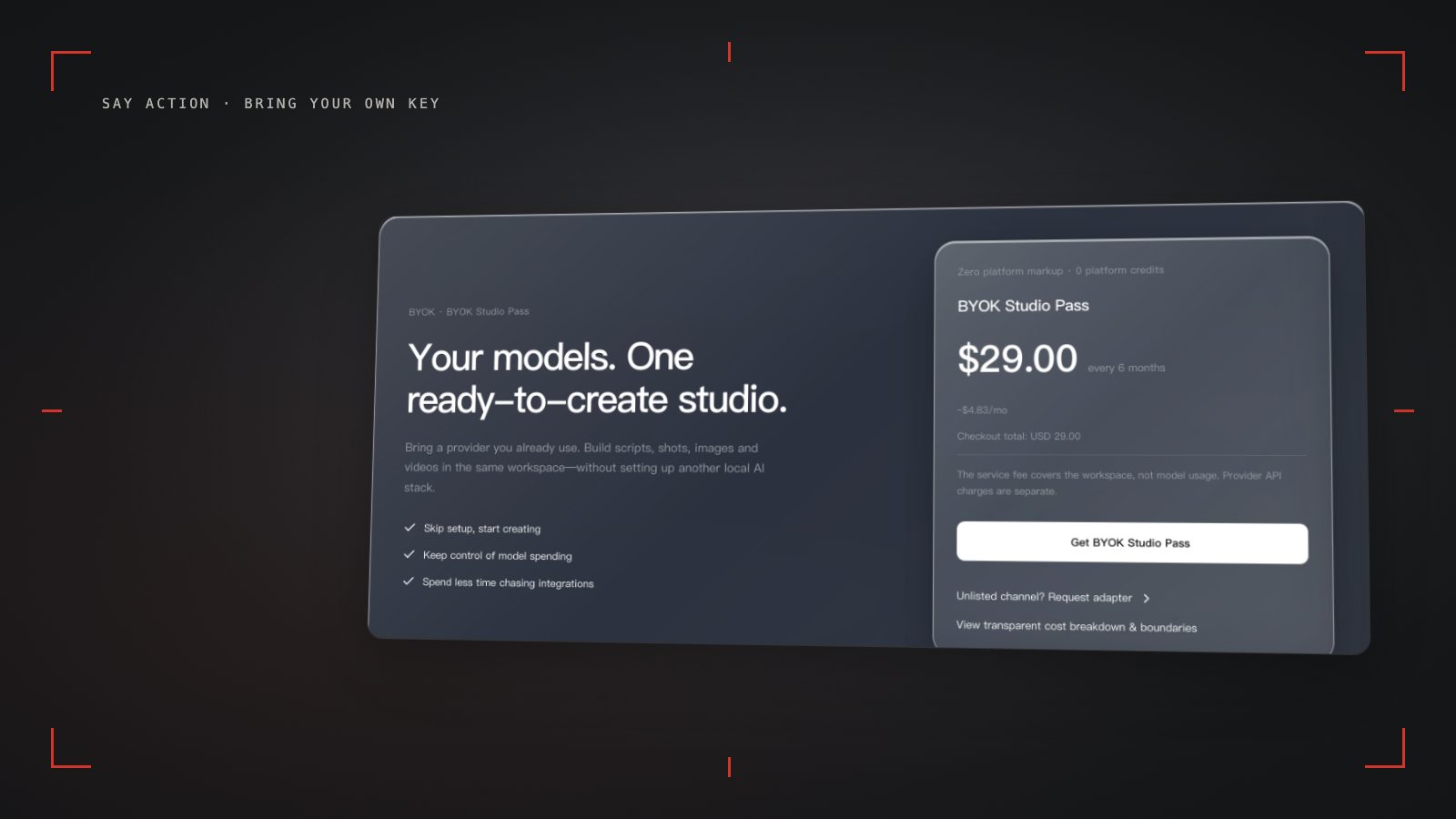
Open BYOK settings from Pricing
If you already have a provider account or relay key, BYOK lets you use it from the Say Action canvas. Open Pricing, choose the BYOK plan and check its service status and current price. Complete checkout if access needs to be activated. After signing in, click Bring Your Own Key to open that section in Settings (/settings?section=channels). Availability depends on the site's feature settings and your service status.
Enter your provider's Base URL, API key, protocol and model ID in channel settings. Return to the video node, select that channel and model, and check the aspect ratio, duration and input mode. Test one representative shot. Confirm that the endpoint returns video and that the task result can be retrieved before producing an episode.
Keep workspace access and model usage separate
Workspace service fee (6 months): USD 29.00 / 6 months. The service fee covers the workspace, not model usage. Provider API charges are separate.
BYOK supports a custom API endpoint, model key and headers. For OneAPI, NewAPI or another relay, select the OpenAI, Gemini or Claude protocol that matches its actual API, then check model IDs and image/video endpoint support. Not every relay or private protocol works automatically. BYOK model calls have no platform model markup or platform generation-credit deduction; workspace access and provider usage are still billed separately.
Credits are estimated from channel pricing; final deduction follows the price tiers configured in the admin backend. Per-second video billing is pre-authorized by requested seconds; if upstream output exceeds the request, a small concession difference may occur.
When you switch back to a platform model, that model's credit rules apply. Platform models follow their own credit rules, even if you also use BYOK. Check your provider's dashboard for its balance, retry charges and refund rules.
A protocol name does not guarantee video support
In model-channel settings, enter the Base URL and API key, then configure the protocol, model IDs and required headers from your provider's documentation. Check the image and video modes you need before generating. Paths, resolutions and first/last-frame inputs depend on the connected channel. An adaptation request for an unsupported channel is not a compatibility guarantee.
A relay listing a model does not establish support for image-to-video, first and last frames, or reference images. Check the provider's documentation and the actual controls on the node. Renaming a model cannot add an input mode. For an adaptation request, supply public API documentation with keys and sensitive headers removed.
Keys are stored locally; requests still pass through the backend
Keys are stored in an account-scoped browser secret store. The BYOK channel binding records the provider origin, not the model key. Local key storage does not mean requests stay on your device: custom model requests go through the authenticated backend, and task execution may require sending credentials to it.
Connect only trusted providers and use HTTPS in production. Custom requests are forwarded through the authenticated backend; required prompts, reference assets and credentials take part in the request. Never put API keys, passwords or secret-bearing headers in public canvases, screenshots or support requests.
Be ready to configure the channel again when changing computers or browsers. Do not share a configuration containing keys as a project asset. If a key may have leaked, revoke or rotate it with the provider; deleting it from Say Action does not revoke the provider's key.
Connect your own API channels and third-party relays
In model-channel settings, enter the Base URL and API key, then configure the protocol, model IDs and required headers from your provider's documentation. Check the image and video modes you need before generating. Paths, resolutions and first/last-frame inputs depend on the connected channel. An adaptation request for an unsupported channel is not a compatibility guarantee.
BYOK supports a custom API endpoint, model key and headers. For OneAPI, NewAPI or another relay, select the OpenAI, Gemini or Claude protocol that matches its actual API, then check model IDs and image/video endpoint support. Not every relay or private protocol works automatically. BYOK model calls have no platform model markup or platform generation-credit deduction; workspace access and provider usage are still billed separately.
Connect only trusted providers and use HTTPS in production. Custom requests are forwarded through the authenticated backend; required prompts, reference assets and credentials take part in the request. Never put API keys, passwords or secret-bearing headers in public canvases, screenshots or support requests.
Frequently asked questions
Does BYOK include provider video fees?
The service fee covers the workspace, not model usage. Provider API charges are separate.
Can I connect OneAPI or NewAPI?
BYOK supports a custom API endpoint, model key and headers. For OneAPI, NewAPI or another relay, select the OpenAI, Gemini or Claude protocol that matches its actual API, then check model IDs and image/video endpoint support. Not every relay or private protocol works automatically. BYOK model calls have no platform model markup or platform generation-credit deduction; workspace access and provider usage are still billed separately.
What happens to credits when platform generation fails?
When the upstream explicitly reports failure, reserved credits are refunded; tasks with unclear network status stay pending review to avoid double settlement.
Can I connect OneAPI, NewAPI and custom headers?
BYOK supports a custom API endpoint, model key and headers. For OneAPI, NewAPI or another relay, select the OpenAI, Gemini or Claude protocol that matches its actual API, then check model IDs and image/video endpoint support. Not every relay or private protocol works automatically. BYOK model calls have no platform model markup or platform generation-credit deduction; workspace access and provider usage are still billed separately.