
Model Comparison
Kling vs Seedance vs MiniMax H3 for Short Drama: Which Model to Pick per Shot
Compare Kling AI, Seedance 2.5, and MiniMax H3 (Hailuo) across camera movement, facial consistency, and first-last frame control to route every shot on your canvas.
On this page
Our Stance: Shot Requirements Dictate the Model
This article was written by the Say Action team. The comparison reflects our workflow recommendations for multi-shot short drama production across routed AI channels, not an independent lab benchmark.
In professional short drama production (typically 60 to 90 seconds per episode across 12 to 16 setups), there is no single AI video model that excels at every cinematic demand. Creators searching for "Kling vs Seedance" or "Kling vs Hailuo" often seek a single universal winner; however, treating video generation as a one-click monolith inevitably leads to visual drift, sluggish pacing, or deformed anatomy. A high-stakes fight sequence requires kinetic body dynamics and motion velocity that would overwhelm a subtle dialogue setup, whereas an intense over-the-shoulder conversation demands strict multi-angle facial anchoring that would freeze a sweeping camera tracking shot. The industry-standard workflow deconstructs scene demands and routes each shot to the engine best suited for that specific visual task.
Our evaluation framework isolates four non-negotiable production criteria: 1) Character reference support and multi-angle identity retention across cuts; 2) Physical motion fidelity, including camera velocity, anatomical deformation resistance, and cloth/fluid dynamics; 3) Dual-frame boundary control, specifically whether the engine accepts both first-frame and last-frame anchors without artifacting; and 4) Production economics, factoring task credit consumption, render latency, and failed generation refund boundaries. By mapping these dimensions to individual storyboard rows on the Say Action canvas, production teams eliminate guesswork and maintain editorial control over their episodic pipeline.
Official Spec Comparison Across the Three Models
To establish an objective baseline, we cross-referenced the verified technical parameters and public documentation published by Kling AI (klingai.com), Seedance (ByteDance ecosystem), and MiniMax Hailuo (hailuoai.video / minimax.io) as of October 11, 2026. Rather than relying on synthetic benchmark percentages or marketing claims, episodic creators need to master the genuine structural differences in conditioning modes, duration caps, and API constraints.
Kling AI offers Standard, Pro, and Premier tiers featuring native 1080p and 4K output with exceptional camera trajectory controls and complex human skeletal kinematics, though its character facial retention across diverse angles requires tight prompting. Seedance 2.5 distinguishes itself with deep conditioning: native first-frame and last-frame keyframe interpolation, support for up to 9 reference images, multimodal audio/video guidance, and extended shot duration capabilities (with Say Action exposing 1 to 15-second generation with prompt buffers up to 8,000 characters). MiniMax H3 (Hailuo) delivers industry-leading photorealism in micro-expressions, hair physics, and ambient volumetric lighting, but imposes a hard engineering constraint: its official API strictly prohibits mixing first/last frame mode with supplemental character reference images (throwing a explicit validation error if violated).
Understanding these architectural distinctions directly informs canvas routing: when a scene demands violent physical interaction, forcing MiniMax H3 will often yield unnatural elasticity, while routing a silent, tearful close-up to Kling AI may lose the delicate subsurface skin scattering that MiniMax delivers effortlessly.
| Feature / Evaluation Dimension | Kling AI | Seedance 2.5 | MiniMax H3 (Hailuo) |
|---|---|---|---|
| Core Cinematic Strength | High-momentum human kinematics, complex action choreography, and wide camera sweeps | Dual-frame anchor interpolation, multi-angle reference sheets, and recurring character stability | Photorealistic micro-expressions, natural fabric wrinkles, and cohesive lighting physics |
| Best Shot Scenarios in Drama | Fight sequences, chase scenes, dynamic crane shots, and establishing vistas | Dialogue coverage, over-the-shoulder continuity, and character walks across cutaways | Emotional close-ups, subtle dialogue reactions, eye-line shifts, and tactile textures |
| Reference Conditioning | Image prompt conditioning with camera path controls | Up to 9 reference images, native audio/video guidance, and multi-view character anchoring | Single start image conditioning; multi-image reference supported only in text-to-video mode |
| Start & End Frame Support | Start frame conditioning with motion brush and camera trajectory | Native dual-anchor first-and-last frame interpolation across canvas keyframe nodes | Supports start frame or dual frames; strictly cannot be combined with external reference images |
| Aspect Ratio & Resolution Tiers | 9:16 portrait, 16:9 widescreen, 1:1 square; 720p, 1080p, and 4K rendering modes | 9:16 portrait and 16:9 widescreen; optimized for high-density vertical mobile delivery | 9:16 portrait and widescreen; 768P draft and 2K high-definition production tiers |
| API & Mode Restrictions | Strict prompt safety filters; trajectory speeds bounded by motion scale parameters | Long-duration generations (over 10s) require conservative motion values to prevent drift | API error minimaxMixedFrames triggers if reference_image is passed alongside frame mode |
| Pricing & Commercial Terms | Tiered subscriptions and credit packs; see the official site for current pricing | Integrated via platform routing or provider API; see the official site for current pricing | Monthly plans and developer credit tiers; see the official site for current pricing |
| Official Source & Verification | Kling official platform (klingai.com); verified October 11, 2026 | Seedance model specifications and canvas adapter; verified October 11, 2026 | Hailuo AI and MiniMax developer documentation (minimax.io); verified October 11, 2026 |
Specifications gathered from official documentation and developer APIs as of October 11, 2026. Provider pricing structures and interface parameters are subject to frequent updates. Brand names are cited solely for comparative analysis without commercial endorsement.
Assigning Models on the Say Action Canvas
In an episodic vertical drama (typically structured around a 12-shot beat sheet), assigning models on the Say Action canvas follows a clear cinematographic hierarchy. For dynamic action shots—such as Shot 1's hook slap, a frantic corridor pursuit, or a sudden camera spin—route the storyboard row directly to Kling AI. Kling’s skeletal dynamics handle rapid limb displacement without melting fingers or detaching joints. Prompt structure must prioritize camera speed and kinetic trajectory: Camera: Rapid whip pan left to dynamic low-angle tracking at 1.4x velocity | Subject: Protagonist dashes down rainy fire escape, trench coat flaring in the wind, boots splashing through puddles with realistic water spray, limbs maintain anatomical integrity | Lighting: High-contrast neon noir rim lighting, anamorphic lens flare.
For narrative continuity and character-driven scenes—including Shot-Reverse-Shot dialogue, over-the-shoulder (OTS) coverage, and recurring protagonist entrances—route the row to Seedance 2.5. By connecting the canvas character sheet node (containing front 0°, three-quarter 45°, and profile reference images) to the Seedance video node, you anchor identity across consecutive angles. When bridging Shot 3 into Shot 4, employ Seedance’s dual-frame slots: place the final frame of Shot 3 as the first frame of Shot 4, and use an explicit motion prompt: Camera: Slow dolly-in on 50mm portrait lens, steady tripod lock | Subject: Female lead turns head smoothly 45 degrees toward frame left, maintaining steady eye contact, subtle controlled breathing, locked facial geometry matching reference sheet | Lighting: Soft window diffusion, gentle warm key light.
For high-stakes emotional beats—such as the 45-second dramatic revelation, an introspective eye twitch, or trembling lips in an extreme close-up (ECU)—route the node to MiniMax H3. Pair MiniMax with a pristine, high-resolution keyframe generated in advance. As a recommended rule of thumb, apply the 70/30 prompting guideline: dedicate roughly 70% of the prompt focus to maintaining existing textures and ambient lighting, and roughly 30% to micro-movement: Camera: Locked-off extreme close-up (ECU), shallow depth of field | Subject: 30-year-old male, sharp jawline, stubble, furrowed brow; micro-expression transitions from stoic restraint to subtle tremor of grief, tear gathers along lower eyelid without rapid blinking, natural skin pores, fine fabric weave on wool collar preserved | Lighting: Warm Rembrandt illumination, deep cinematic shadows. Crucially, leave the supplemental reference image slot empty on MiniMax nodes to prevent API validation rejection.
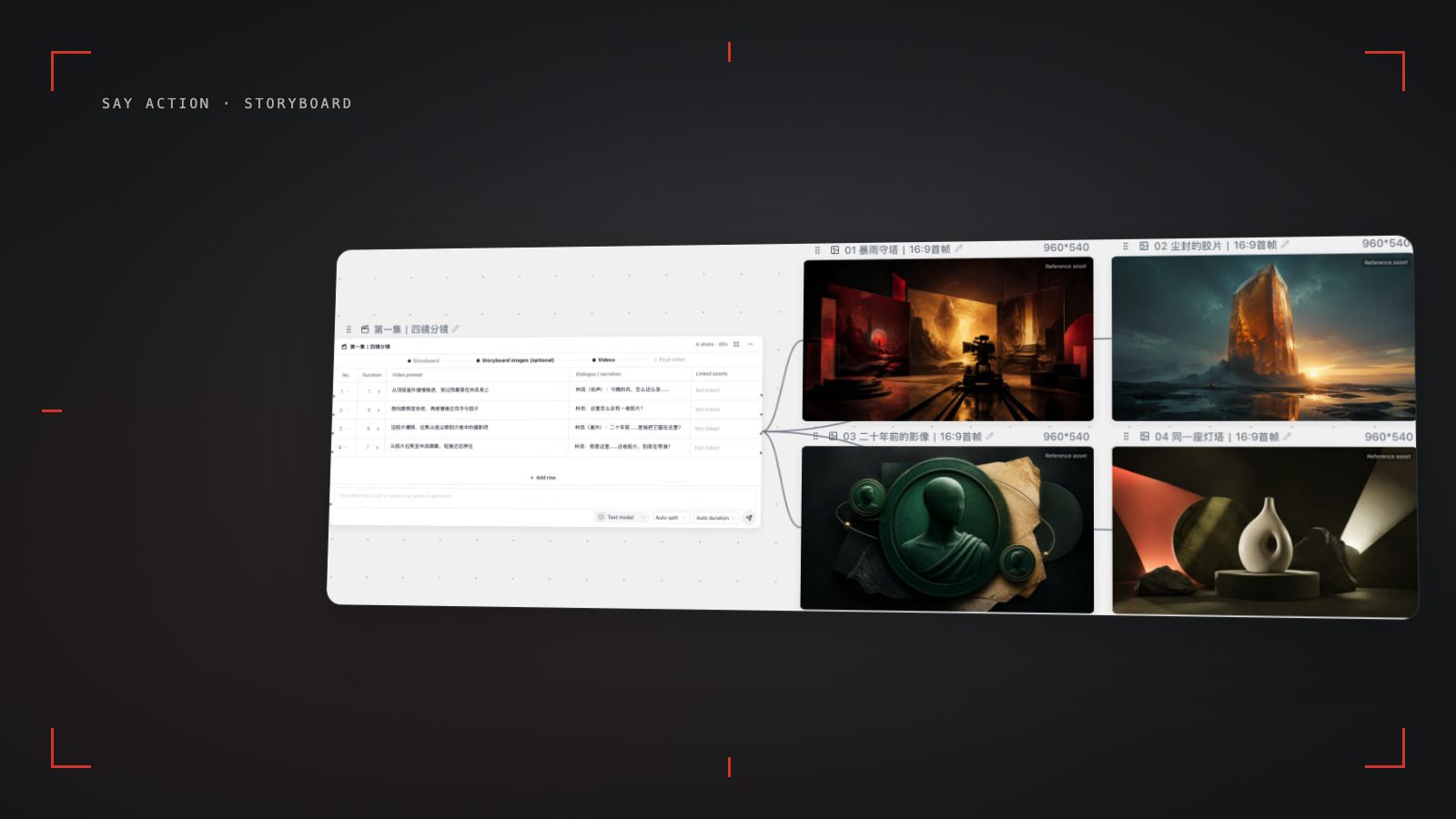
To execute this shot assignment smoothly on the Say Action canvas: 1) Outline your script into the storyboard table and review shot types, durations (2s to 5s), and camera directions; 2) Generate keyframe visual anchors for primary scenes using the canvas image node; 3) Set the model selector on each storyboard row according to the shot type (Kling for motion, Seedance for continuity, MiniMax for texture); 4) Link reference nodes and start/end frame connections where required; and 5) Queue individual test renders to verify kinematic flow before batch generating the full sequence.
Bridging Styles Between Different Models
The primary hazard of multi-model routing is "aesthetic whiplash"—the jarring visual discontinuity that occurs when cutting from Kling's crisp render style to MiniMax's atmospheric soft-focus or Seedance's balanced diffusion. If an audience notices a sudden change in skin color grading, grain structure, or background lighting between adjacent cuts, immersion breaks immediately. Resolving this requires deliberate aesthetic bridging on the infinite canvas.
Rule One: Anchor all initial keyframes with a unified image generator. Never use Kling’s text-to-video for one shot while using MiniMax’s text-to-video for the next without an intermediate image anchor. Instead, generate every shot’s starting frame on the Say Action canvas using a single master image model (such as Nano Banana or FLUX) informed by your character reference sheet. By feeding these visually cohesive still frames into the video nodes as start frames, you force each video model to inherit the exact same color palette, wardrobe textures, and set geometry.
Rule Two: Inject a standardized "Master Style Descriptor" across every video node prompt. Regardless of whether a node routes to Kling, Seedance, or MiniMax, append an identical visual tail to the prompt: | Master Style: 35mm anamorphic prime lens, warm tungsten key, cool cyan shadow fill, authentic Kodak Vision3 500T film grain, rich filmic tonal rolloff, 9:16 vertical composition. This unified stylistic suffix constrains the diffusion model's color temperature and latent noise distribution, ensuring that shadows, skin tones, and highlight rolloff match across different model providers.
Rule Three: Maintain rigid aspect ratio and framing safe zones. For vertical short drama (9:16), ensure all keyframe nodes and video generation parameters are locked to portrait framing. Keep primary character faces within the vertical center safe zone (avoiding top title banners and bottom UI caption overlays). Review cuts in sequence on the canvas preview timeline: if a specific cut exhibits slight color variance, perform an in-place single-shot regeneration with adjusted prompt weight rather than discarding the entire scene structure.
Credit Consumption, Billing Boundaries, and When to Keep Single-Model
Production budgets in AI filmmaking hinge on transparent credit expenditure and fail-safe billing. When routing across multiple models on the Say Action canvas, credit consumption is calculated upfront based on selected resolution (720p, 1080p, 768P, or 2K), duration in seconds, and provider tier. Crucially, creators are protected against upstream infrastructure errors: When the upstream explicitly reports failure, reserved credits are refunded; tasks with unclear network status stay pending review to avoid double settlement. Rerunning an existing shot that failed to meet creative expectations is treated as a fresh task with upfront cost display, preventing surprise overages.
For high-volume production studios operating their own direct enterprise accounts, Say Action supports Bring-Your-Own-Key (BYOK) channel relay. The service fee covers the workspace, not model usage. Provider API charges are separate. Current workspace fee: USD 29.00 / 6 months. BYOK supports a custom API endpoint, model key and headers. For OneAPI, NewAPI or another relay, select the OpenAI, Gemini or Claude protocol that matches its actual API, then check model IDs and image/video endpoint support. Not every relay or private protocol works automatically. BYOK model calls have no platform model markup or platform generation-credit deduction; workspace access and provider usage are still billed separately.
While multi-model routing represents the gold standard for finished commercial releases, indie creators and rapid concept test teams should know when to stay single-model. If you are producing an animatic rough cut, pitching an episodic treatment, or validating audience retention on a zero-budget test channel, standardizing on a single versatile engine (such as Seedance 2.5 with reference anchors) significantly streamlines prompt authoring and accelerates turnaround. Transition to full multi-model routing once script beats are locked and production values demand specialized kinetic choreography alongside photorealistic close-ups.
Connect your own API channels and third-party relays
In model-channel settings, enter the Base URL and API key, then configure the protocol, model IDs and required headers from your provider's documentation. Check the image and video modes you need before generating. Paths, resolutions and first/last-frame inputs depend on the connected channel. An adaptation request for an unsupported channel is not a compatibility guarantee.
BYOK supports a custom API endpoint, model key and headers. For OneAPI, NewAPI or another relay, select the OpenAI, Gemini or Claude protocol that matches its actual API, then check model IDs and image/video endpoint support. Not every relay or private protocol works automatically. BYOK model calls have no platform model markup or platform generation-credit deduction; workspace access and provider usage are still billed separately.
Connect only trusted providers and use HTTPS in production. Custom requests are forwarded through the authenticated backend; required prompts, reference assets and credentials take part in the request. Never put API keys, passwords or secret-bearing headers in public canvases, screenshots or support requests.
Frequently asked questions
Can I mix Kling, Seedance, and MiniMax in the same drama episode?
Yes, absolutely. On the Say Action canvas, each storyboard row can be independently assigned to any supported video model. All generated video clips, character reference nodes, and keyframes reside in the same project timeline, allowing you to tailor model selection to the specific kinetic or emotional requirement of every individual shot.
Which model provides the best facial consistency for recurring characters?
Seedance 2.5 offers the most robust identity retention when supplied with multi-angle character reference sheets (supporting up to 9 reference images) and dual-anchor start and end frames. However, maintaining character fidelity across multiple scenes still requires human quality control: start every shot with a validated keyframe image rather than relying entirely on unguided text generation.
Why does MiniMax fail when I provide both start frames and reference images?
This stems from an architectural restriction in the official MiniMax API: when operating in first-frame or dual-frame mode, the backend strictly prohibits passing supplemental reference_image parameters (triggering a minimaxMixedFrames validation error). In Say Action, the node interface enforces this boundary, so you should use a high-resolution start frame paired with action-only motion prompts.
What happens to my credits if one of the model channels fails to generate?
When the upstream explicitly reports failure, reserved credits are refunded; tasks with unclear network status stay pending review to avoid double settlement.
Can I connect OneAPI, NewAPI and custom headers?
BYOK supports a custom API endpoint, model key and headers. For OneAPI, NewAPI or another relay, select the OpenAI, Gemini or Claude protocol that matches its actual API, then check model IDs and image/video endpoint support. Not every relay or private protocol works automatically. BYOK model calls have no platform model markup or platform generation-credit deduction; workspace access and provider usage are still billed separately.