
Cute Halloween AI Illustrations: 10 Prompts, Art Styles, and Stock vs. AI

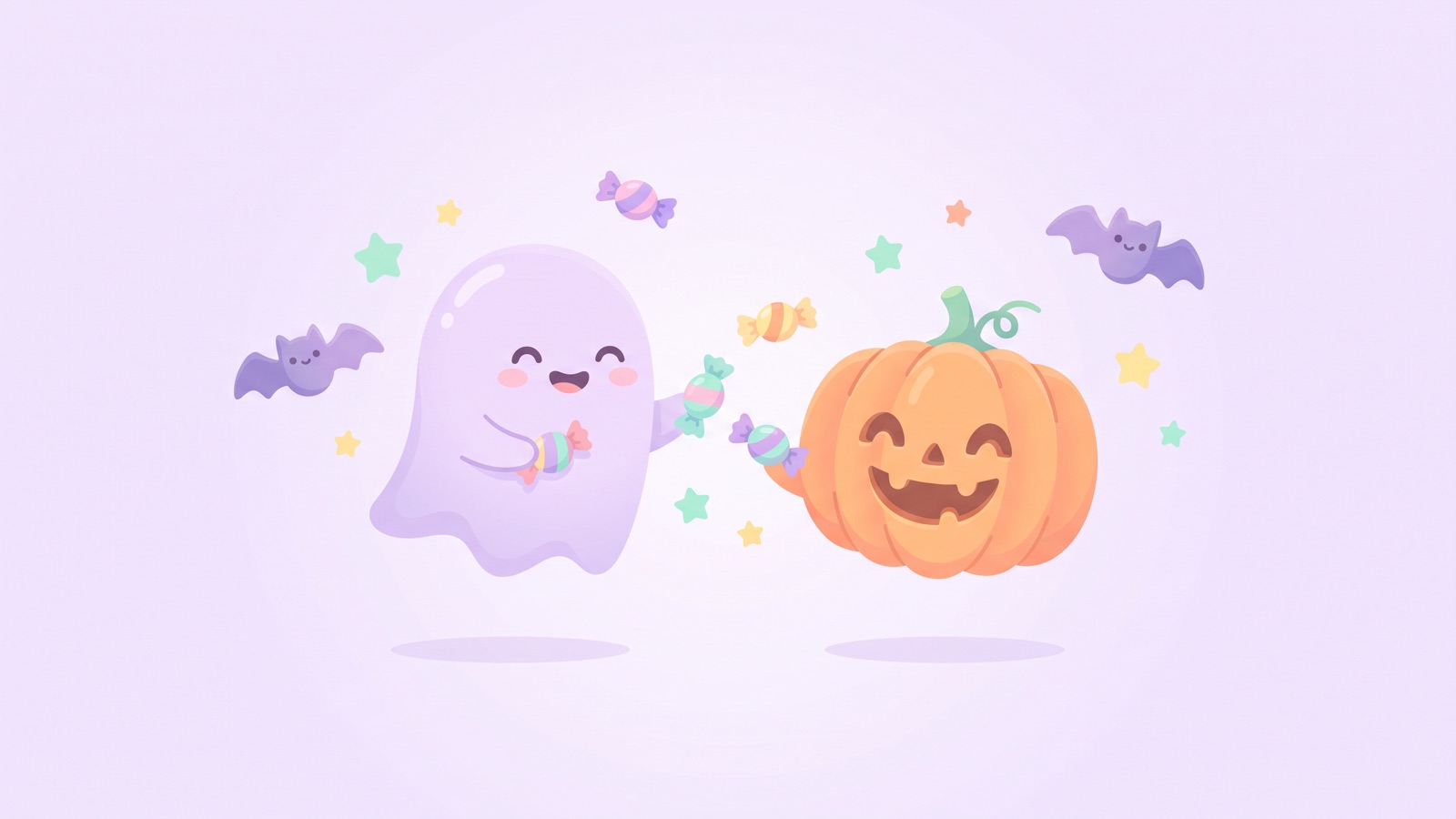
You can create cute Halloween illustrations in several art styles and common aspect ratios for profile pictures, store flyers, kids' coloring pages, and desktop wallpapers. Below are 10 copy-ready prompts (nine for still images and one for a 5-second clip) with ideas for variations. The guide covers how to build a prompt, how to generate on the canvas, and how to animate the result.
How do you build prompts for cute Halloween AI illustrations?
To generate cute Halloween artwork that matches your expectations, organize your prompt around four building blocks: subject and character, wardrobe and props, art medium and style, and background and lighting.
Don't rely on "cute" or "creepy" alone. Pair each with concrete traits such as round shapes, pastel colors, and simple faces.
[Subject & Character] + [Costume & Halloween Props] + [Art Style & Medium] + [Background, Lighting & Layout]Four parts let you swap one piece at a time and get a new variation.
Pick a character, add props like a witch hat or candy, choose a medium like flat vector or watercolor, and finish with a clean backdrop and soft light.
| What to describe | Say this | Not this | Tip |
|---|---|---|---|
| Facial Features | "Round smiling eyes, cheerful open mouth, rosy cheeks" | "Super cute face, adorable look" | Describe exact eye and mouth shapes rather than vague subjective adjectives. |
| Wardrobe & Props | "Pointy purple felt witch hat with small star buckle" | "Spooky Halloween costume" | Specify fabric textures (felt, leather, knit) and small metal accents. |
| Art Medium & Style | "Minimalist 2D flat vector, clean line art, pastel tones" | "Masterpiece, hyper quality illustration" | Name clear artistic mediums instead of empty quality buzzwords. |
| Lighting & Background | "Solid clean white background, soft warm candle glow" | "Scary dark background, creepy lighting" | Choose a solid white or neutral background so the subject is easy to cut out and you can add text on top. |
What are the best Halloween illustration prompts for avatars, flyers, and coloring pages?
Each use needs its own shape and margins, so decide where the art will go before you write the prompt.
Here are five prompts tailored to specific projects. Paste any of them into an Image node on your canvas.
1. Social media avatar (1:1 square): Chubby black cat with pumpkin hat
Best for: October seasonal profile pictures on X and Instagram.
This prompt puts the cat in the center with space around it, so a circular profile crop does not cut off the ears or the hat. The cat sits on a plain pastel lilac backdrop.
A cute chubby black cat wearing a tiny carved pumpkin hat on its head, sitting in the center of the frame with wide empty space around the cat, big curious round yellow eyes, soft white whiskers. Simple minimalist flat vector illustration, smooth clean curved outlines, solid pastel lilac purple background, symmetrical centered composition, 1:1 aspect ratio.Check the result inside a circle before you upload it. If the ears touch the edge, add "even more empty space around the cat."
Variations to try: - Swap the black cat for a happy fluffy shiba inu puppy or a tiny chubby white bunny. - Change the pumpkin hat to a mini purple felt witch hat with a gold buckle. - Switch the lilac background to a solid warm cream background for cozy autumn warmth.
2. Store signage and autumn flyers (vertical 3:4 / 9:16): Festive candy and pumpkin border
Best for: Cafe counter display cards, boutique seasonal sale notices, and autumn festival flyers.
Flyers and signs need empty space in the middle for a headline, a date, or a menu. This prompt draws a border of jack-o'-lanterns, candies, bats, and leaves around a blank center.
Halloween festive decorative border frame illustration, a large clean blank empty copy space in the center for adding text later. Surrounded by cute smiling jack-o'-lanterns, colorful wrapped candies, cute flying bats, and orange autumn leaves along the edges. Bright and cheerful commercial pop illustration style, clean white background, vibrant warm orange and purple colors, vertical 3:4 aspect ratio.A white background prints cleanly on white paper. To place the border over a colored flyer, ask for a transparent background instead. GPT Image 2.5 supports it.
Variations to try: - For cafes, add steaming mugs of pumpkin spice latte and cute ghost cookies along the border. - Shift the color palette to muted vintage autumn tones like olive green, burnt orange, and deep burgundy for a boutique look. - Change the aspect ratio to vertical 9:16 for Instagram Stories and mobile promotional graphics.
3. Kids' coloring page (black-and-white line art): Friendly ghost and jack-o'-lantern
Best for: Preschool printables, classroom craft sheets, and quiet holiday coloring at home.
Bold outlines and big open areas are easy for young children to color with crayons. This prompt draws a smiling ghost next to a friendly carved pumpkin. Set "Aspect ratio" to 3:4, which suits a printed page.
Black and white coloring book page for young children, clean bold outlines, thick smooth black lines, pure white background, no shading, no gradients, no grey tones. A friendly cute ghost smiling warmly next to a big happy carved pumpkin with triangle eyes. Simple uncluttered shapes, large open areas for coloring, joyful Halloween activity sheet.If gray tones still show up, repeat "no shading" at the end of the prompt.
Variations to try: - Have the ghost hold a large swirl lollipop in one hand. - Add a smiling crescent moon and a few big stars outlined in the corner of the page. - Place a cheerful tiny cartoon witch sitting on a broom alongside the duo.
4. Desktop and phone wallpapers (horizontal 16:9 / vertical 9:16): Moonlit Halloween town
Best for: Desktop and phone wallpapers, video thumbnail backdrops, and stream backgrounds.
This scene shows an indigo night sky with a full moon, a distant castle, and tiny pumpkin lanterns glowing on rolling hills. Calm light and depth keep it from feeling busy.
A panoramic autumn night background of a whimsical fairy-tale Halloween town, a glowing warm full moon in the dark indigo and deep purple sky. Distant cute fairytale castle silhouette, gentle rolling hills with glowing miniature pumpkin lanterns scattered softly, bare autumn trees. Cozy ambient lighting, atmospheric depth, soft clean illustration style, wide horizontal 16:9 composition, peaceful and charming mood.If the moon looks flat, add "soft moonlight on the hills and castle."
Variations to try: - Change the aspect ratio to vertical 9:16 for smartphone lock screens. - Add soft magical blue mist hugging the ground for atmospheric depth. - Swap the fairytale castle silhouette for a cozy wooden cottage with warm light glowing from its windows.
5. Die-cut sticker illustration (white border): Waving mini ghost
Best for: Messaging app stickers, printable planner decals, and greeting card accents.
Stickers need a clear edge for printing and cutting. This prompt wraps a waving ghost in a white border with a soft shadow.
A cute die-cut vinyl sticker illustration of a tiny floating ghost waving with a cheerful smile, blushing pink cheeks. Clean crisp white sticker border surrounding the entire character, soft subtle drop shadow underneath. Modern flat vector graphic, vibrant smooth colors, solid light gray background, isolated sticker design, perfect for printing.The light gray background makes the white border easy to see. For a cut-out sticker, ask for a transparent background. GPT Image 2.5 supports it.
Variations to try: - Have the ghost hug a large colorful wrapped candy with both arms. - Change the expression to a playful wink with a tongue sticking out. - Swap the ghost for a mini black kitten wearing a round pumpkin costume.
How do you prompt for kawaii, watercolor, retro, and folklore illustration styles?
To change the style, name the medium, print technique, and colors in the art-style part of your prompt.
The same pumpkin or ghost looks different in flat vector lines, watercolor bleeds, or mid-century print dots. Here are four styles.
1. Kawaii pastel style: Gentle ghost and pumpkin sharing treats
Distinctive features: Round chibi proportions, simple dot eyes, and soft pastel purple and milky orange tones.
This style suits warm, friendly projects. A small ghost and a mini jack-o'-lantern share candy, like a scene from a picture book.
Chibi style cute aesthetic illustration of a round fluffy ghost sharing candy with a smiling mini pumpkin. Soft pastel color palette, milky orange, gentle lavender, mint cream, warm yellow. Minimalist kawaii face with simple dot eyes and rosy cheeks. Whimsical children's picture book illustration, soft matte texture, clean plain light background, cozy and adorable atmosphere.If the faces come out too detailed, repeat "simple dot eyes" at the end of the prompt.
Variations to try: - Add a soft squishy marshmallow-like texture to the characters. - Place a tiny baby bat resting atop the ghost's head. - Shift the palette to pastel baby pink and creamy milk white tones.
2. Storybook watercolor style: Warm autumn scene with paint bleeds
Distinctive features: Visible wet-on-wet paint bleeds, cold press paper grain, and earthy autumn tones.
Watercolor suits handmade autumn scenes. Carved pumpkins rest beneath an old oak tree and glow from inside.
Warm watercolor illustration of smiling carved jack-o'-lanterns resting among colorful fallen autumn leaves near the foot of an old oak tree. Soft watercolor wash textures, visible wet-on-wet paint bleeds, subtle cold press paper grain texture. Gentle warm golden glow radiating from inside the pumpkins, earthy autumn color palette of burnt sienna, golden ochre, and deep olive. Nostalgic storybook feel.If the pumpkins look flat, add "glow spilling onto the leaves."
Variations to try: - Layer soft colored pencil outlines beneath the watercolor for a sketchbook look. - Scatter acorns, pinecones, and tiny red forest berries around the pumpkins. - Set the background to a warm amber and twilight purple sky wash.
3. Mid-century retro style: Muted print textures and halftone dots
Distinctive features: A 1960s–70s picture-book or antique-postcard look, with faded ink, slightly off-register ink layers, and halftone dots.
This style suits cafe menus and old-style postcards. A friendly witch and her black cat dance around a pumpkin in earth tones like mustard yellow, terracotta, and olive green.
Vintage mid-century 1960s retro children's book illustration of a friendly witch and a black cat dancing around a pumpkin. Screen print aesthetic, slight risograph ink texture, subtle halftone dots, delicate misregistration effect. Muted nostalgic color palette, mustard yellow, olive green, burnt terracotta, faded cream white. Simple stylized shapes, grainy paper texture, authentic retro charm.Keep the palette to four colors. More colors pull the image away from the print look.
Variations to try: - Add an aged, yellowed parchment texture with faint coffee-stained edges. - Swap the witch for a smiling scarecrow with a patched hat. - Add stylized mid-century geometric stars and an angular crescent moon in the background.
4. Japanese folklore fusion style: Two-tailed bakeneko and pumpkin lanterns
Distinctive features: A blend of Western Halloween imagery and Japanese folklore creatures (yokai), featuring ink-brush outlines and woodblock-print colors, and red maple leaves.
This style gives Halloween a fresh twist for wrapping paper and autumn event posters. A cute two-tailed bakeneko (supernatural cat) in a purple kimono and witch hat sits beside washi paper lanterns shaped like carved pumpkins.
Japanese modern folklore illustration of a cute twin-tailed bakeneko monster cat wearing a patterned purple kimono and a tilted witch hat. Sitting beside traditional washi paper lanterns shaped like carved pumpkins, glowing softly with warm candlelight. Scattered red autumn maple leaves, delicate sumi-e inspired brush outlines, vibrant ukiyo-e color accents, clean cream paper background, whimsical yokai Halloween theme.For a flatter print look, add "flat woodblock colors."
Variations to try: - Add a vermilion torii gate silhouette beneath a hazy golden harvest moon. - Place a tiny friendly yokai holding a miniature Japanese paper umbrella beside the pumpkins. - Specify a traditional kimono pattern featuring stylized waves and golden bats.
When should you use free stock illustration sites versus AI generation?
Free stock vector sites give you ready-made art for quick borders. AI works better when you need an original pose, a specific ratio, or a matching style.
Stock is handy when you need a generic holiday icon right now. Other people may use the same graphics, and you may not find the ratio or props you want.
AI lets you choose the pose, the expression, and the ratio. Before you use an image commercially, read the terms of the model you used and your plan.
| What to compare | Free Stock Vector Sites | AI Generation (DramaCanvas) | What to do |
|---|---|---|---|
| Visual Originality | Others may use the same graphics | Can produce original compositions depending on the prompt | Use stock for internal docs. Use AI for your store signs. |
| Aspect Ratio Flexibility | Often limited to the sizes offered | Set the ratio on the node, within what the chosen model offers | Use AI for a round avatar or a tall phone screen. |
| Typography Handling | Some templates come with pre-set slogans | You generate art without text, then add your own words | Pick stock if its slogan fits. Otherwise use AI art and write your own text. |
| Creation Time | Minutes if you find a matching graphic | Varies by model and settings | Stock can be faster when a close match exists. AI is faster when you need a specific pose or ratio. |
| Commercial Licensing | Each site has its own rules and download limits | Depends on the model you use and your plan | Read the terms before you print anything for sale. |
How do you generate and animate Halloween illustrations on DramaCanvas?
On DramaCanvas, you generate an illustration by adding an Image node to the canvas, entering your prompt, and picking a model and an aspect ratio.
Here are the steps:
1. Add an Image node and enter your prompt
Click "Add node" on the bottom toolbar, select "Image" under "Creative nodes", and drop it onto your canvas.
Paste your prompt into the text field, and pick your model under "Model selection" (such as Midjourney V7, Nano Banana 2, or GPT Image 2.5).
2. Choose an aspect ratio and generate
Pick your ratio under "Aspect ratio". The options depend on the model.
Click the upward submit arrow to start generating.
The ratio in the prompt text is a hint. The "Aspect ratio" setting controls the image.
3. Refine details with Inpaint and Crop
If fingers, bat wings, or small props need fixing, click "Inpaint" on the floating image toolbar, brush over the flawed area, and describe the correction to regenerate just that section.
If you need to adjust framing or margins, use the "Crop" tool to trim the image.
4. Animate your illustration into a 5-second clip
Generate a still you like first. Then connect it to a Video node:
Click "Add node" on the bottom toolbar and choose "Video" under "Creative nodes".
Drag a wire from your Image node's output port (right side) to the Video node's input port (left side). The image becomes the "Start frame".
Pick a video model, such as Seedance 2.5 or Kling 3.0.
Set "Duration" to 5 seconds. Check which durations the model allows under "Parameters".
Paste the motion prompt below and click the upward submit arrow.
Use this motion prompt for the pumpkin and lantern scenes. For other images, replace the pumpkin line with whatever glows in your image.
Slow camera push-in, subtle flickering candlelight inside the pumpkins, gentle floating magical sparkles, soft blinking eyes, smooth 2D animation loop, steady framing.The camera moves in slowly while the candlelight flickers. Keeping the motion small, with blinking eyes and drifting sparkles, gives the model less chance to distort the characters.
Variations to try: - Swap the forward push for a slow horizontal camera pan right. - Add gently drifting autumn leaves floating across the foreground.
What are the limitations and common mistakes of Halloween AI illustrations?
Image models still struggle with lettering and hands, and results vary from model to model.
Here are three key pitfalls to avoid:
Keep text out of the image: Models often scramble letters. Generate art without words, then add headings, logos, or dates in a design tool.
Fix small flaws instead of restarting: Don't throw away a good render over a bent finger or an odd bat wing. Redo just that spot with step 3 above.
Describe the outfit, not a famous character: Don't name characters from movies or anime. Describe the clothing instead, like a "striped witch hat and patched cape."
Frequently asked questions
Can I ask the AI to write text like "TRICK OR TREAT" directly on the illustration?
It is not recommended. Image models often misspell words. Add "clean empty background, no text" to your prompt, then add your words in a design tool.
Can I use generated illustrations commercially on store displays and flyers?
It depends on the terms of the model you used and on your plan. Read both before you print anything for sale.
How do I stop pumpkins and ghosts from looking too scary or realistic?
Remove horror and realism words from your prompt, and add words for round shapes and bright colors. Phrases like "chibi proportions," "round smiling eyes," and "soft pastel color palette" push the model toward friendly characters.
Can I use the same illustration for both a phone wallpaper and a social avatar?
Not well. A 1:1 avatar and a 9:16 wallpaper need different framing, so generate each at its own ratio. Crop can trim a small difference, but it can't create sky or space that isn't there. **Next step:** Click "Add node" on the bottom toolbar, choose "Image" under "Creative nodes", and test your favorite prompt. To explore more holiday costume ideas and video workflows, check out our Halloween AI prompts guide, or read our infinite canvas beginner guide for how nodes connect.