
Halloween Poster and Flyer Ideas: 9 AI Prompts, Layout Rules, and an Animated Teaser

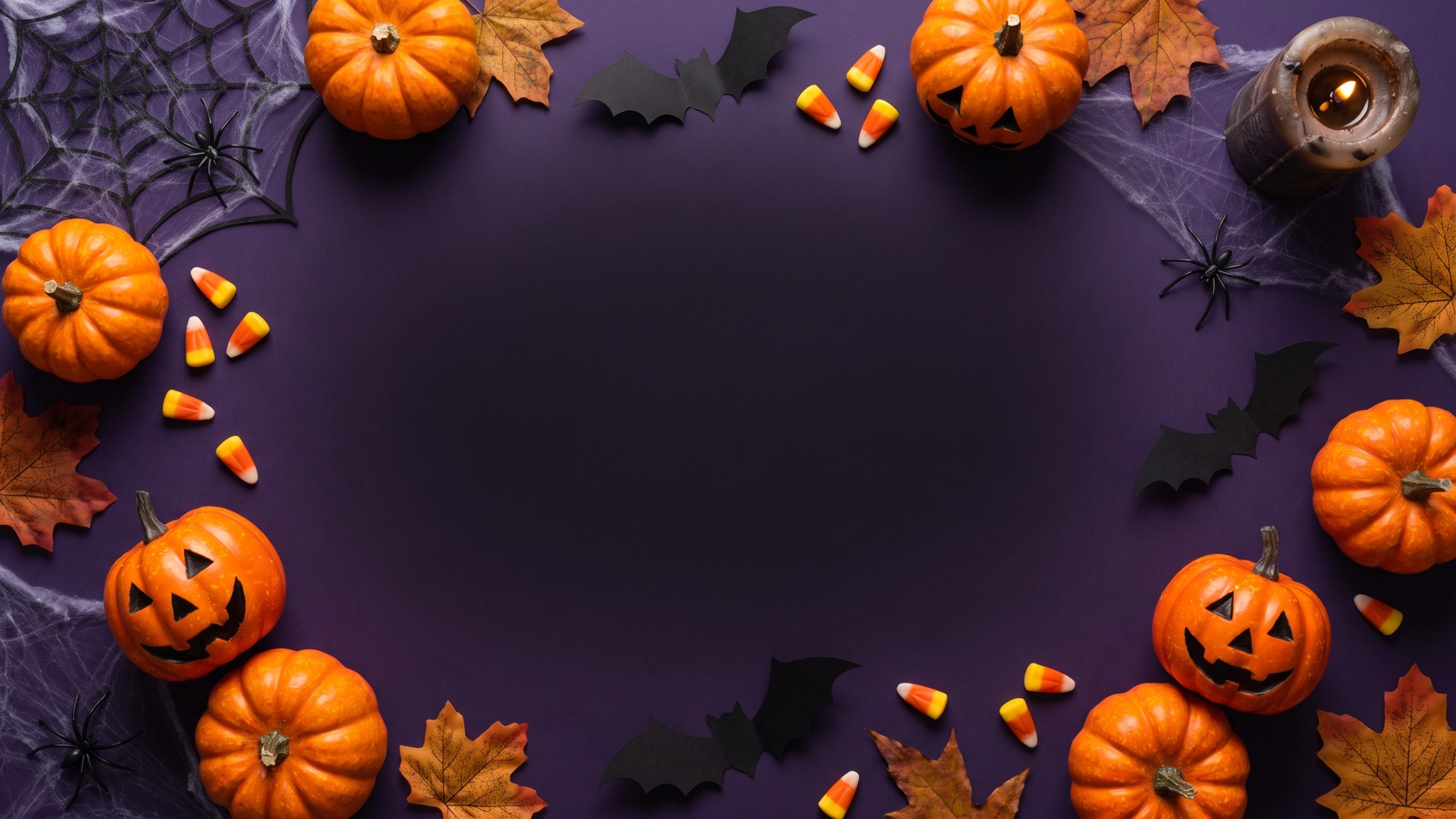
Good Halloween posters leave room for the text. Ask for empty space and a clear light source, not a pile of spooky words. For a costume party, a coffee shop drink, or an event story, the prompt should reserve a zone for the headline and date. This guide gives you nine poster prompts and one motion prompt, a layout cheat sheet, and steps for making stills and short animated teasers on an infinite canvas.
What makes an effective Halloween poster or flyer layout?
A readable poster pairs a spooky mood with a clear place for the words. When prompts ask for too many objects at once, models scatter jack-o'-lanterns, ghosts, and bats across every square inch, leaving no room for event details.
- Headline zone and hierarchy: Reserve one clear zone for text, usually the top or bottom third. A full-frame product shot can reserve the center. Put the event name where people look first. - Negative space: Leave a clear block of the image, roughly a quarter to a third, uncluttered. Dark skies, gradient walls, or smooth mist keep white or golden type easy to read. - The classic Halloween palette: Use three core colors: pumpkin orange (#FF7518), black, and purple (#4B0082). Add lime green or cyan sparingly as accent light. Keep the background muted so the main subject stands out. - Core seasonal elements: Stick to shapes people know: jack-o'-lanterns, bats, corner spiderwebs, a full moon, a haunted house.
Need an avatar instead? See Halloween PFP ideas.
How should you handle headlines and text in AI poster prompts?
Image models paint letters as shapes instead of spelling words, so long paragraphs, multi-line schedules, and exact ticket prices often come out garbled. There are two ways to handle poster text.
Method 1: Reserve empty space and add the text yourself (Recommended)
Ask the model for an empty header or footer banner, then add the text in a design tool after you download the image. You control the exact wording and font, and updating dates or ticket links is straightforward.
To use this method, include phrases such as generous empty space at top for title, solid dark negative space at bottom for event details, or clean untextured cream center and top section for printed event copy.
Method 2: Include short quoted titles directly in the prompt
If you need a quick social media graphic or mock-up with the headline already in place, put short two to four word titles inside double quotation marks. For example, specify "HALLOWEEN BASH" or "TRICK OR TREAT".
Keep title phrases short and simple. Inspect the generated image immediately to verify letterforms and spelling. If the model misinterprets a letter, run another generation or switch to Method 1.
| Typography Approach | Best Use Case | Main Advantage | Pitfall to Watch For |
|---|---|---|---|
| Leave Empty Space | Print flyers, menus, event schedules | You control the exact wording and font | Requires adding text in a design tool after downloading |
| Short Quoted Headlines | Quick social posts, concept moodboards, story banners | Instant headline placement in a single render | Models can misspell words or distort complex fonts |
What Halloween poster and flyer prompts work best for parties, events, and shops?
These nine prompt templates are written for image models like GPT Image 2.5, Nano Banana 2, and Midjourney V7. Paste them directly into an Image node on your canvas.
1. Halloween Costume Party Invitation Flyer
Best for: Neighborhood house parties, club nights, and event ticketing covers.
This prompt asks for a retro screen-print look with a jack-o'-lantern, bats, and empty space at the top for the event headline.
Screen-printed Halloween party flyer, centered grinning carved jack-o'-lantern glowing with warm orange candlelight. Distressed paper texture, silhouettes of bats flying in background, dark purple and charcoal gradient backdrop, generous empty space at top for title, high contrast graphic illustration, retro event poster aesthetic.Variations to try: Swap Distressed paper texture for Clean matte cardstock, or change dark purple and charcoal gradient backdrop to midnight navy blue background.
2. Neighborhood Cafe & Bakery Autumn Event Flyer
Best for: Coffee shop counter signs, bakery seasonal menu announcements, and storefront window displays.
This prompt asks for a cozy cafe table with pumpkin pastries and hot mugs, and dark space at the bottom for event details.
Cozy autumn cafe counter flyer, artisan pumpkin pastries and steaming ceramic mugs on a rustic dark oak table. Warm golden string lights bokeh in background, scattered cinnamon sticks and miniature white pumpkins, clean dark negative space at bottom for event details, warm editorial food photography, 35mm film still.Variations to try: Swap artisan pumpkin pastries for spiced apple cider donuts, or change rustic dark oak table to weathered marble bistro counter.
3. Spooky Bar Night & Drink Specials Flyer
Best for: Pub crawls, speakeasy Halloween drink menus, and nightlife flyers.
This prompt asks for a smoking drink in a dim bar with amber candlelight, and empty space at the top for the event headline.
Nightlife event flyer for a Halloween bar night, dramatic crystal coupe glass with smoking dark blackberry drink and dry ice mist. Ambient amber candlelight, blurred dark tavern interior, glowing bar shelves in background, generous empty space at top for event headline, moody commercial beverage photography, sharp rim lighting.Variations to try: Swap smoking dark blackberry drink for blood-orange smoked drink, or change crystal coupe glass to vintage etched tumbler.
4. Community Trick-or-Treat & School Festival Poster
Best for: Elementary school flyers, church trunk-or-treat gatherings, and family-friendly neighborhood festivals.
This prompt asks for a cartoon look with smiling friendly ghosts, friendly carved pumpkins, colorful candy buckets, and a pastel purple banner at the top for the headline.
Cheerful family-friendly Halloween festival poster, cute smiling cartoon ghosts and friendly carved pumpkins sitting beside colorful candy buckets. Bright twilight sky with friendly harvest moon, autumn maple leaves, clean pastel purple header banner for headline, clean vector illustration style, vibrant playful colors.Variations to try: Swap autumn maple leaves for whimsical candy corn borders, or change clean pastel purple header banner to sunny autumn gold banner.
5. Haunted House Attraction & Dark Maze Poster
Best for: Haunted maze attractions, escape room promotions, and community horror walkthroughs.
This prompt asks for a haunted house against a full moon, with cold fog and a dark lower third for dates.
Atmospheric horror attraction poster, eerie silhouette of a decrepit Victorian mansion against a massive luminous full moon. Thick cold blue ground fog rolling through twisted bare oak trees, glowing jack-o'-lanterns along stone footpath, deep black negative space across lower third for dates, dramatic concept art, stark lighting contrast.Variations to try: Swap silhouette of a decrepit Victorian mansion for dilapidated wooden barn beside overgrown cornfield, or change cold blue ground fog to swirling amber ground mist.
6. Autumn Retail Sale & E-Commerce Hero Graphic
Best for: Online shop seasonal banners, boutique discount announcements, and promotional hero cards.
This prompt asks for black and gold pumpkins on a dark podium, with open space in the center for the headline.
Minimalist luxury Halloween retail promotional banner, matte black and brushed gold decorative pumpkins arranged on a clean dark slate podium. Subtle gossamer spiderwebs on corners, warm dramatic top spotlight, wide open negative space in center for headline, high-end commercial product photography, clean studio backdrop.Variations to try: Swap matte black and brushed gold decorative pumpkins for velvet purple and copper decorative skulls, or change dark slate podium to polished dark walnut pedestal.
7. Vertical Social Media Story Flyer (9:16)
Best for: Instagram Stories, TikTok event announcements, phone wallpapers, and event reminders.
This prompt asks for a tall frame with a glowing pumpkin patch at the bottom and a dark sky above for text.
Vertical 9:16 mobile event flyer, illuminated pumpkin patch under a starry midnight sky. Carved jack-o'-lanterns glowing with internal orange flames at bottom foreground, bare branching trees framing the sides, wide open dark midnight sky across upper half for text overlay, atmospheric digital painting, high vertical depth.Variations to try: Swap illuminated pumpkin patch for glowing stone graveyard walkway, or change starry midnight sky to starry purple twilight sky.
8. Printable Community Event Notice (3:4)
Best for: Bulletin board notices, front-door paper flyers, and letter-sized community handouts.
This prompt asks for a black and orange linocut look with a leaf-and-bat border and a clean cream area for printed text.
Black and orange linocut print Halloween event notice, decorative border of oak leaves and miniature bats framing the page. Carved jack-o'-lantern and vintage lantern illustration at center bottom, clean untextured cream center and top section for printed event copy, woodblock printmaking aesthetic, crisp ink lines, 3:4 aspect ratio.Variations to try: Swap vintage lantern illustration for perched screech owl illustration, or change decorative border of oak leaves to decorative gothic ironwork border.
9. Vintage Gothic Masquerade Ball Poster
Best for: Formal Halloween galas, theatre productions, and masquerade parties.
This prompt asks for a black lace carnival mask on crimson velvet, dripping candles, antique gold filigree, and a deep shadow header at the top for event text.
Elegant dark gothic masquerade ball poster, ornate black lace carnival mask and feathered headdress resting on dark crimson velvet. Dripping ivory taper candles casting warm golden glow, antique gold filigree corner ornaments, deep shadow header at top for event typography, dramatic chiaroscuro still life, 35mm fine art photography.Variations to try: Swap dark crimson velvet for midnight emerald satin, or change ornate black lace carnival mask to elaborate silver filigree phantom mask.
How do you generate and edit Halloween posters on an infinite canvas?
On the bottom toolbar, click "Add node" and pick "Image" under "Creative nodes". Paste a poster prompt. In the node's model menu, choose GPT Image 2.5, Nano Banana 2, or Midjourney V7 (Midjourney shows its own settings before you generate). Set Aspect ratio if the model offers it, then click the upward submit arrow.
Use 3:4 for prompts 1–5, 8, and 9, 9:16 for prompt 7, and 1:1 for prompt 6 (or any square feed post), or whichever wide ratio the model offers.
To use your own shop or product photo as the reference:
Choose GPT Image 2.5 or Nano Banana 2, since both accept a reference image.
Click "Add node", then select "Upload file" under "Import assets" (or drag your file onto the canvas).
Wire the photo node's right output to the Image node's left input.
Start the prompt with "Use the connected photo as the reference and keep the product unchanged." then paste the poster prompt.
Never upload photos of other people without their permission.
To explore more connection techniques, see our infinite canvas beginner guide.
How do you turn a static Halloween poster into an animated vertical video?
To animate a poster for Reels or TikTok:
Click "Add node", then select "Video" under "Creative nodes".
Wire the Image node's right output to the Video node's left input.
Under "Parameters", pick the connected image as the "Start frame".
Choose Kling 3.0 or Seedance 2.5, set Aspect ratio to
9:16, and set a duration of about 5 seconds (check the allowed range in Parameters).Paste the motion prompt below and click the upward submit arrow.
For the best result, start from a still made at 9:16 (prompt 7). If you crop a 3:4 poster instead, use "Crop" on the image's floating toolbar and check that your headline zone survives.
This prompt fits posters with a jack-o'-lantern (1, 5, 7). For the others, or if you want a different focus, replace "the glowing jack-o'-lantern" with your main subject.
Motion prompt: Slow-Motion Atmospheric Poster Animation
Best for: Five-second social media teasers, countdown stories, and dynamic digital signage.
This prompt asks for a slow camera move and a soft candle flicker so the layout stays intact.
Slow camera push-in toward the glowing jack-o'-lantern, subtle candle flicker casting shifting shadows, faint wisps of ground mist drifting across the foreground, steady framing, smooth motion.Variations to try: Swap Slow camera push-in for Slow vertical tilt down, or change faint wisps of ground mist to gentle floating ember particles.
How do effective Halloween poster prompts compare to weak ones?
Naming real objects, where the light comes from, and where the text goes gives better poster art than stacking vague adjectives.
| Poster Goal | Recommended Phrasing | Phrasing to Avoid | Pitfall to Watch For |
|---|---|---|---|
| Reserving Headline Space | "Generous empty space at top for title, dark gradient backdrop" | "Halloween poster with spooky text everywhere, cool words" | Uncontrolled backgrounds make overlaid event text unreadable. |
| Lighting & Mood | "Warm orange candlelight glowing from carved jack-o'-lantern, contrasting cold blue ambient fog" | "Super scary dark spooky horror mood" | Mood words give the model little to work with; naming light sources creates natural depth and separation. |
| Print Framing | "Vertical 3:4 composition, decorative border framing the edges" | "Regular Halloween picture for a flyer" | A vague request may give you a ratio that doesn't fit a flyer; set Aspect ratio to 3:4 (or add 3:4 to the prompt). |
| Event Lettering | "HALLOWEEN BASH" in clean bold vintage serif font | "Include all event dates, ticket prices, and address" | Long text often comes out misspelled or warped; check every word before you publish. |
What are the limitations of AI Halloween posters?
Generate one test still before you commit to a print run. For anything you'll print, pick the largest size offered in Parameters (GPT Image 2.5 and Nano Banana 2 go up to 4K), then check the result at full size. Use AI for the picture and lighting, and add dates, prices, and maps yourself (Method 1).
Frequently asked questions
Can AI models generate accurate event dates and ticket pricing on a poster?
Not reliably. Current image models frequently distort small numbers, dates, and multi-line event schedules. The best fix is Method 1: prompt for clean negative space in your background still, download the image, and overlay your exact dates, ticket prices, and venue address in a design tool.
Which aspect ratio should I use for print flyers and social posts?
Choose `3:4` for printable flyers and `9:16` for mobile stories. `3:4` is close to a letter-sized page, so you'll crop little or nothing when you print, while `9:16` fills vertical smartphone screens on Instagram Stories and TikTok. For square Instagram feed announcements, select `1:1`. Set Aspect ratio to match.
How do I add my own shop logo or product photo to a generated flyer?
Add a logo after you download the poster. Place your transparent PNG over the empty header or footer zone in a design tool, so the logo stays exact. To feature a product photo instead, follow the product-photo steps in the generation section above (use GPT Image 2.5 or Nano Banana 2, which both accept a reference image). Never upload photos of other people without their permission.
How do I fix a small flaw or a misspelled word?
Click "Inpaint" on the image's floating toolbar, brush over the problem area, describe the fix, and submit. You don't need to regenerate the whole poster. For misspelled text, it's safer to leave the space empty and add the words yourself.
Can I animate a `3:4` or wide poster into a vertical video teaser?
Yes, but you should reframe it first. Use "Crop" on the image's floating toolbar to set a `9:16` frame, or generate a native vertical still before wiring it to a Video node's "Start frame". **Next step:** To explore character portraits, costume formulas, and retro VHS aesthetics, visit our Halloween AI Prompts guide. To learn node connections and multi-shot workflows, continue to our infinite canvas beginner guide.