
Team workflow
Team Workspaces for Vertical Mininovelas: Canvas Sharing, Roles, and Credit Quotas
Organize vertical mininovela team production in Say Action: invite screenwriters and editors, manage credit quotas without exposing API keys, and hand off shots with standardized naming.
On this page
- The vertical mininovela team challenge: moving beyond chaotic chat groups
- Role structure: Owner, Admin, Editor, and Viewer in Say Action
- Credit quota management: protecting API keys and managing quotas across production staff
- The shared multi-episode canvas for 30-to-50 episode productions
- Standardized shot export and handoff to CapCut or Premiere
- Connect your own API channels and third-party relays
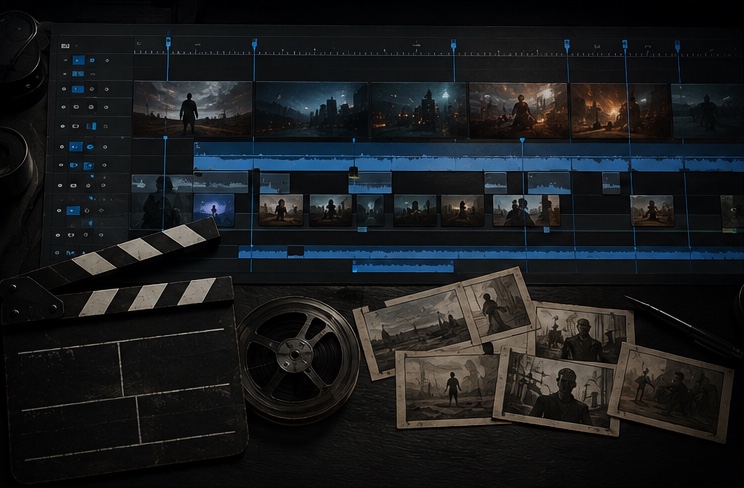
The vertical mininovela team challenge: moving beyond chaotic chat groups
Vertical mininovela production across TikTok, Kwai, and Instagram Reels has matured rapidly from solo creators into agile studio teams composed of screenwriters, storyboard directors, and video editors. However, many production units still stumble into informal operational traps: passing raw prompts over WhatsApp, sharing disorganized cloud drive links, and hunting through video files named 'final_render_v3_really_final.mp4'. This unstructured workflow introduces serious communication bottlenecks, breaks dramatic continuity between cuts, and frequently wastes significant generative compute budgets due to visual misalignment.
When a team attempts to produce a full 30-to-50 episode season (with each episode running 60 to 90 seconds and containing 10 to 12 distinct shots), linear messaging setups quickly break down. A dialogue edit made by the screenwriter fails to propagate to the shot list; the video editor receives generated clips with zero relational context regarding which script line they belong to; and the visual director discovers late in post-production that the protagonist's facial features drifted because someone reused an outdated character reference. Coordinating between 300 and 600 video clips per season demands an integrated relational workspace where scripts, framing, character references, and generation logs remain permanently connected.
Say Action solves this coordination gridlock by transforming the infinite canvas into a collaborative virtual studio. Instead of scattered local folders and disjointed chat threads, raw text is structured into script cards that automatically unfold into an interactive storyboard table. Every single shot row ties together scene number, character identity, dialogue, camera directions, and the corresponding video node. Screenwriters, art directors, and editors work within a shared visual environment governed by strict permissions, helping maintain creative traceability from the initial script line to final timeline delivery.
Role structure: Owner, Admin, Editor, and Viewer in Say Action
In a professional production studio, not every collaborator should possess identical privileges or financial controls. Handing unrestricted billing access to an external freelancer or allowing junior assistants to accidentally delete complex canvas node clusters jeopardizes project timelines and studio budgets. Say Action structures workspace governance across four sharply defined roles: Owner, Admin, Editor, and Viewer. This role hierarchy establishes clear boundaries between corporate account management, daily creative execution, and external review by clients or executive producers.
The Owner holds ultimate authority over membership subscriptions, Stripe payment methods, and workspace closure. The Admin assists with operational management: inviting collaborators via email, assigning specific production projects, adjusting monthly member quotas, and configuring backend model channels. The Editor represents the creative engine: they can write scripts, edit storyboard rows, connect character reference nodes, and initiate keyframe renders (via Nano Banana or GPT Image) and video generations (via Wan 3.0, Kling v3, Seedance 2.5, or MiniMax Hailuo), strictly capped by their allocated monthly credit quota. Finally, the Viewer role offers read-only access, allowing executive producers, brand sponsors, and assistant editors to inspect storyboards and review clips without altering nodes or expending credits.
The member onboarding process is fast and transparent. An administrator opens the team console, inputs the collaborator's email address, and specifies their role and credit quota (for example, assigning 200 credits to a junior storyboard artist tasked with drafting keyframe variations). The invited collaborator receives a secure invitation link, registers or logs in, and lands immediately inside their assigned production boards. If an external contractor completes their assignment, the administrator can revoke access or downgrade the seat to Viewer with one click, preserving all generated scenes and character references safely within the studio's assets.
| Workspace Role / Permission | Owner / Admin | Editor | Viewer |
|---|---|---|---|
| Member invitations and access | Full control (email invites and revocations) | No access | No access |
| Billing and subscription management | Manages plans and checkout in Stripe | No access | No access |
| Monthly generation credit quotas | Sets and adjusts individual member quotas | Usage capped at personal monthly quota | No quota (view-only mode) |
| Script and storyboard editing | Full access across all workspace projects | Edits scripts and shots in assigned projects | Read-only access (editing disabled) |
| Keyframe and video generation | Enabled (draws from workspace pool) | Enabled (capped by member's monthly quota) | Disabled (cannot deduct credits) |
| BYOK and API key configuration | Secured configuration in backend settings | No access to API keys or credentials panel | No access to API keys or credentials panel |
| Clip export and workstation save | Direct download and local folder saving | Direct download and local folder saving | Inspects and downloads review previews |
Access control permissions based on Say Action workspace specifications. Billing management and raw API credentials remain restricted to administrators.
Credit quota management: protecting API keys and managing quotas across production staff
The most critical security hazard for an AI-powered media studio is uncontrolled API key distribution. When a production company sends raw model provider keys to freelancers over chat or text files, it risks catastrophic outcomes: API credentials can be accidentally leaked to public repositories, compromised in shared environments, or exhausted through unauthorized personal tests. Say Action addresses this vulnerability at the architectural level: all upstream model credentials stay encapsulated within the authenticated backend and are not transmitted to browser clients.
In practice, the Owner or Admin configures model channels or BYOK (Bring Your Own Key) relays inside the workspace administration console. When a screenwriter or storyboard artist triggers a 9:16 video generation using MiniMax Hailuo or a camera transition with Seedance 2.5, the execution request routes through Say Action's secure relay (/api/ai/custom). The team member's interface displays only resolution, duration, and credit cost estimates; the raw API keys remain hidden. Furthermore, every generation is deducted from that individual member's monthly allowance, helping prevent any single user from exhausting the company's shared budget.
Financial predictability is reinforced by transparent protection against upstream network failures. When a generation fails due to upstream API timeouts or platform outages, Say Action safeguards the studio's credit balance under its official platform refund policy: When the upstream explicitly reports failure, reserved credits are refunded; tasks with unclear network status stay pending review to avoid double settlement. This allows creators to iterate freely on complex camera prompts and dramatic beats without fearing that third-party infrastructure instability will inflate production expenses.
For higher-volume studios connecting their own model providers, Say Action provides a dedicated BYOK workspace pass. Workspace access fees and upstream provider compute costs are billed separately: Workspace service fee (6 months): USD 29.00 / 6 months. The service fee covers the workspace, not model usage. Provider API charges are separate. BYOK supports a custom API endpoint, model key and headers. For OneAPI, NewAPI or another relay, select the OpenAI, Gemini or Claude protocol that matches its actual API, then check model IDs and image/video endpoint support. Not every relay or private protocol works automatically. BYOK model calls have no platform model markup or platform generation-credit deduction; workspace access and provider usage are still billed separately. Credits are estimated from channel pricing; final deduction follows the price tiers configured in the admin backend. Per-second video billing is pre-authorized by requested seconds; if upstream output exceeds the request, a small concession difference may occur.
The shared multi-episode canvas for 30-to-50 episode productions
Scaling vertical mininovela production requires disciplined spatial design on the infinite canvas. Rather than creating isolated projects for every single episode—which fragments continuity and forces teams to repeatedly upload identical actor portraits—the optimal workflow is building a single season canvas organized into three functional zones: the Central Character Sheet Hub, the Multi-Episode Storyboard Matrix (Episodes 01 through 50), and the Assembly & Review Deck.
The Character Sheet Hub anchors visual continuity across the entire series. Art directors establish standardized reference nodes for every lead character and recurring antagonist using Nano Banana or GPT Image, capturing front-facing, 45-degree angle, profile, and wardrobe variations. Because Say Action links assets through visual canvas connections, these master reference cards can be connected directly to shot rows across dozens of episodes. When a protagonist undergoes a wardrobe change in Episode 15, adding a new reference branch in the hub immediately updates future shots without altering historical footage.
With this layout in place, production departments work concurrently without friction: 1) The screenwriter drafts sharp dialogue and conflict beats within script cards for Episodes 01 and 02; 2) The storyboard director splits text into 9:16 shot rows, assigns framing (close-up, medium shot, over-the-shoulder, or low angle), and renders keyframes; 3) During video generation, the team routes shots to optimal models based on scene demands: intense dialogue close-ups to MiniMax Hailuo or Seedance 2.5, high-momentum action via Kling v3 text-to-video, and scenic transitions to Wan 3.0; 4) The director reviews completed shots on canvas and marks approved nodes for editorial handoff.
To keep performance snappy on massive boards containing hundreds of nodes, studios should follow visual hygiene best practices: collapse completed episodes into closed frame groups, standardize node labels (such as 'Ep03_Scene01'), and utilize colored sticky notes to communicate scene status ('Script Draft', 'Awaiting Generation', or 'Approved for Edit'). Say Action's responsive canvas engine helps each team member stay focused on their active sequence while reducing viewport slowdowns.
Standardized shot export and handoff to CapCut or Premiere
The handoff between AI video generation and final video editing is often where studios lose substantial time. When an editor receives a folder of files with randomized download hashes, they must open every video manually to identify which scene and dialogue line it represents. Say Action resolves this bottleneck at export: all video clips adhere to an automated, standardized production taxonomy: Ep[XX]_Scene[YY]_Shot[ZZ]_[Model]_[Version].mp4 (for example, Ep01_Scene02_Shot04_MiniMax_v1.mp4). This standardized naming enables editors to drag entire episode sequences directly into CapCut or Premiere Pro in exact narrative order.
Asset delivery leverages local-first browser storage through the File System Access API in Chromium-based browsers. With operator authorization, Say Action writes approved video clips directly to a designated local or network-attached folder on the workstation. Upon disk completion, the system returns a cryptographic receipt to the server. To ensure production safety, the platform maintains a 15-day retention notice policy for uncollected server clips, helping prevent lost shots if a collaborator switches workstations.
Upon importing organized footage into CapCut or Premiere, the editor executes a three-point assembly checklist: 1) Verify the vertical 9:16 safe zone: the top and bottom of the screen are often covered by platform UI; keep faces, eye lines, and key action in the central area, clearing TikTok and Kwai side action buttons and bottom captions; 2) Dialogue pacing synchronization: cross-reference the shot duration with the storyboard table's dialogue notes, ensuring voiceover and lip movements match dramatic pauses; 3) Color harmony: apply a unified LUT or color grade across adjacent shots to smooth slight lighting differences between generative models.
The greatest advantage of a relational canvas workflow appears when a director or client requests an editorial retake. Instead of starting from scratch or searching through old prompt logs, the team simply returns to the exact shot node in Say Action, refines the camera prompt or framing, and regenerates only that specific clip. The revised file exports as _v2.mp4, dropping into the NLE timeline to replace the old shot in minutes—empowering studios to deliver polished vertical mininovelas on a daily release schedule.
Connect your own API channels and third-party relays
In model-channel settings, enter the Base URL and API key, then configure the protocol, model IDs and required headers from your provider's documentation. Check the image and video modes you need before generating. Paths, resolutions and first/last-frame inputs depend on the connected channel. An adaptation request for an unsupported channel is not a compatibility guarantee.
BYOK supports a custom API endpoint, model key and headers. For OneAPI, NewAPI or another relay, select the OpenAI, Gemini or Claude protocol that matches its actual API, then check model IDs and image/video endpoint support. Not every relay or private protocol works automatically. BYOK model calls have no platform model markup or platform generation-credit deduction; workspace access and provider usage are still billed separately.
Connect only trusted providers and use HTTPS in production. Custom requests are forwarded through the authenticated backend; required prompts, reference assets and credentials take part in the request. Never put API keys, passwords or secret-bearing headers in public canvases, screenshots or support requests.
Frequently asked questions
Can I set monthly credit limits for individual team members?
Yes. In the Say Action team console, administrators can set specific monthly credit quotas for each editor, helping prevent any single contributor from accidentally exhausting the studio's global balance and allowing precise cost control per episode.
Do team members have access to my raw API keys when using BYOK?
No. API keys and provider credentials configured in the workspace are secured strictly on the authenticated backend. They are never transmitted to team members' browsers or displayed in the canvas UI, maintaining enterprise-grade credential isolation.
How many contributors can collaborate simultaneously on the same mininovela project?
Team workspaces support inviting multiple contributors via email with granular project-level access control. Screenwriters, storyboard directors, and editors can work across different zones of the same canvas or across different episodes without permission conflicts.
How does the editing team retrieve generated clips for final assembly in CapCut?
Clips can be written directly to a designated local workstation folder via the browser File System Access API or downloaded individually. All files are automatically named with standardized episode, scene, and shot identifiers for instant drag-and-drop assembly in CapCut or Premiere.
Can I connect OneAPI, NewAPI and custom headers?
BYOK supports a custom API endpoint, model key and headers. For OneAPI, NewAPI or another relay, select the OpenAI, Gemini or Claude protocol that matches its actual API, then check model IDs and image/video endpoint support. Not every relay or private protocol works automatically. BYOK model calls have no platform model markup or platform generation-credit deduction; workspace access and provider usage are still billed separately.