
Prompt guide
Wan 3.0 Prompt Guide for Short Drama: Cinematic Camera Direction and Motion Stability
Master Wan 3.0 video generation with cinematographer-grade prompt syntax, 9:16 vertical motion decoupling, verified camera movement modules, and canvas storyboard workflows.
On this page
- From Wan 2.1 Hype to Production: Directing Wan 3.0 Video in Short Drama Pipelines
- The Six-Layer Director Syntax Formula for Wan 3.0
- 9:16 Vertical Video: Decoupling Motion Vectors from Character Aesthetics
- Cinematographer Syntax vs Quality Buzzwords: What Actually Controls the Lens
- Artifact Troubleshooting, Resolution Tiers, and Compute Budget Control
- Connect your own API channels and third-party relays
From Wan 2.1 Hype to Production: Directing Wan 3.0 Video in Short Drama Pipelines
This guide was written by the Say Action production team to provide an exact, director-level camera prompt methodology for episodic short drama creators. In mid-to-late 2026, open-source Wan 2.1 models (spanning the 14B and 1.3B architectures) ignited creator communities across Civitai, HuggingFace, and Reddit with their physical dynamics and realistic motion synthesis. However, transitioning from experimental local terminal scripts to commercial episodic production requires enterprise-grade stability. While open-source research often revolves around public Wan 2.1 checkpoints, Say Action provides verified production routing for Wan 3.0 text-to-video and video (wan3.0-*), enabling creators to direct high-fidelity vertical scenes without maintaining dedicated multi-GPU server infrastructure.
In fast-paced vertical micro-dramas (typically 60 to 90 seconds per episode), narrative believability depends on physical consistency: how fabric behaves during an abrupt confrontation, how directional lighting falls across shifting facial angles, and how spatial perspective holds during continuous camera tracking. Where legacy video diffusion models frequently interpreted camera directives as chaotic 2D warp artifacts, Wan 3.0's spatio-temporal video architecture interprets camera movement instructions as genuine three-dimensional spatial trajectories. When guided by disciplined director syntax, Wan 3.0 maintains exceptional mechanical stability across complex vertical camera paths, making it a reliable engine for dramatic confrontations, suspenseful reveals, and high-tension character beats.
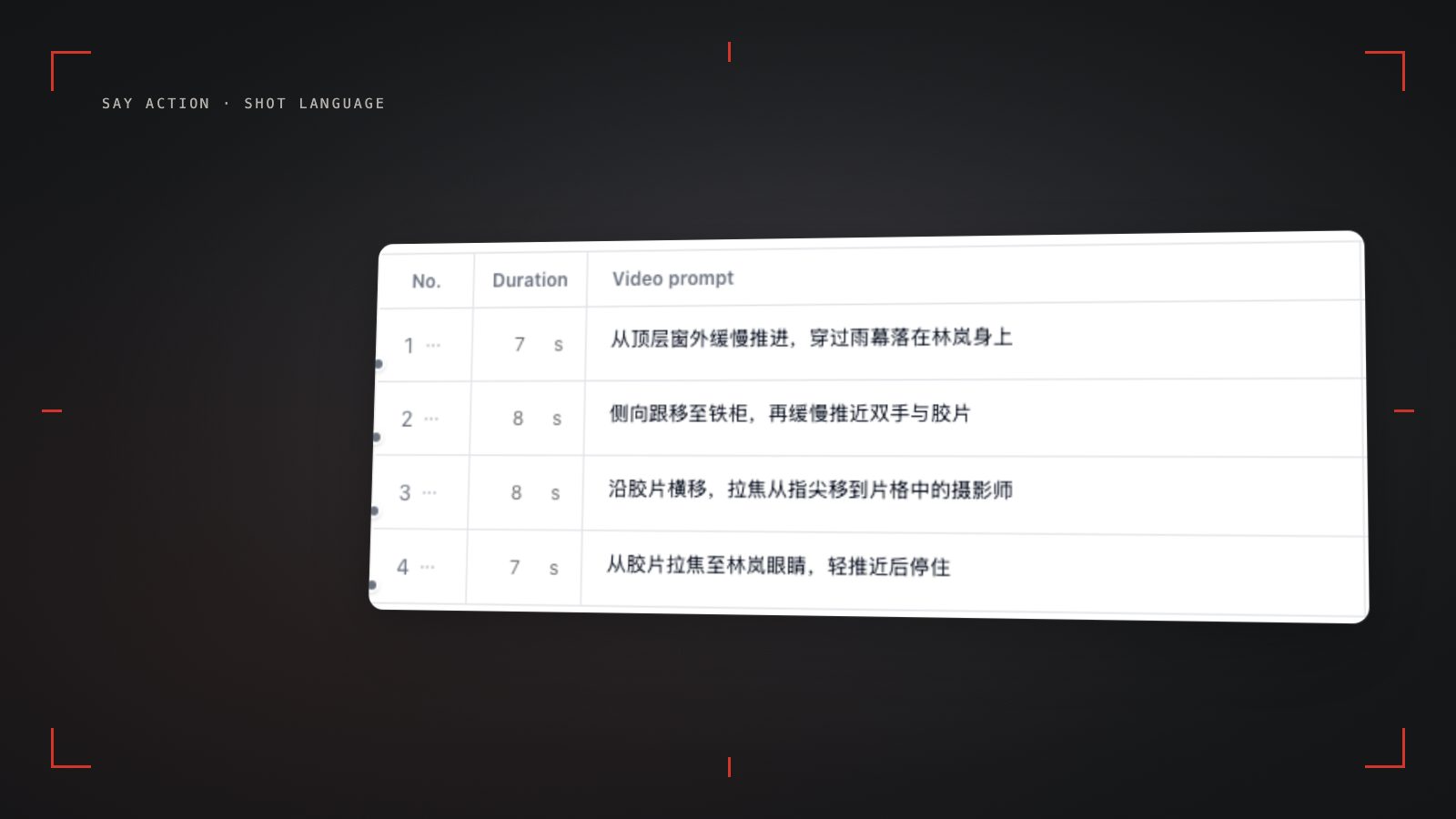
Crucially, industrial short drama production avoids forcing a single model to handle every shot requirement. In the Say Action infinite canvas, Wan 3.0 operates as an integrated video node routed directly from structured storyboard rows. A production team can deploy MiniMax Hailuo for subtle dialogue close-ups, Kling v3 Turbo for dynamic martial arts beats, Seedance 2.5 for keyframe transitions, and Wan 3.0 for sweeping physical reveals and stable camera maneuvers. By binding video generation nodes directly to individual shot rows, creators isolate each shot's creative variables, inspect movements independently, and substantially reduce the compounding errors common in monolithic video generation.
The Six-Layer Director Syntax Formula for Wan 3.0
The primary cause of erratic camera motion in Wan 3.0 video generation is conversational prompt pollution. Submitting stream-of-consciousness descriptions like 'a dramatic vertical shot where the camera slowly wanders through the room capturing the intense sorrow of a young CEO staring out the window' inundates the model's cross-attention mechanisms with subjective sentiment. Generative diffusion attention layers cannot translate emotional rhetoric into physical coordinate velocities, resulting in facial twitching or lighting flicker while the virtual camera remains frozen or wobbles uncontrollably. Wan 3.0 requires the geometric clarity of a Director of Photography (DP) filling out a production shot list: explicit mechanical rigs, verified spatial axes, and strictly bounded action verbs.
To achieve repeatable, predictable shot execution, we establish the Six-Layer Director Syntax: [Camera Rig & Vector] + [Subject Framing & Identity] + [Core Mechanical Action] + [Spatial Environment] + [Lighting & Atmosphere] + [Lens & Style Constraints]. The single most critical formatting rule is isolating each operational layer with full stops (periods) rather than continuous comma splices. In Wan 3.0's token parsing, periods function as semantic isolation boundaries, preventing subject descriptions from interfering with camera vector weights. Maintain overall prompt length strictly between 60 and 100 English words: prompts under 30 words invite speculative model hallucination, whereas prompts exceeding 120 words dilute cross-attention focus on vital camera movement vectors.
The table below details six field-verified camera movement modules engineered specifically for Wan 3.0 in vertical short drama workflows. Each module pairs an operational DP syntax formula with its geometric narrative objective and a critical storyboard execution tip. These structured clauses anchor the virtual camera along verified coordinate vectors, reducing unscripted drift before computing a single frame.
| Movement Module | DP Syntax Formula (Wan 3.0) | Spatial Geometry & Narrative Purpose | Storyboard Execution & Pacing Note |
|---|---|---|---|
| Slow Dolly-In Push | Camera: slow mechanical dolly-in along optical axis. Framing: vertical 9:16 medium close-up, eye-level. Action: subject maintains sharp gaze, jaw clenches subtly. Lighting: directional side key light, deep background shadow. Lens: 50mm equivalent, shallow depth of field, steady linear velocity. | Deepens psychological tension and interior realization during dramatic dialogue pauses. | Enforce steady linear velocity. Never combine rapid push-ins with extreme wide angles, which causes vertical facial stretching. |
| Lateral Tracking Truck | Camera: smooth lateral tracking shot moving screen-right on parallel dolly track. Framing: waist-up profile framing, centered subject. Action: character walks purposefully down dark hallway. Environment: corporate corridor with passing wall sconces. Lens: 35mm lens, subtle cinematic motion blur, zero camera wobble. | Follows character transit while establishing environmental depth and temporal urgency. | Lock the parallel tracking distance. If speed is unspecified, the model may attempt an unscripted orbit arc around the subject. |
| Crane Pedestal Down | Camera: smooth vertical pedestal down crane movement descending from ceiling height to eye level. Framing: high angle descending into centered chest-level medium shot. Action: subject stands motionless amidst office confrontation. Lighting: high-contrast overhead fluorescent lighting. Style: crisp cinematic focus, fluid mechanical descent. | Transitions from oppressive spatial dominance to intimate human vulnerability or reveals key physical evidence. | Ensure initial composition anchors the upper architectural boundary before initiating descent, preserving stable ceiling geometry. |
| Horizontal Reaction Pivot | Camera: controlled 45-degree horizontal pan-right pivot. Framing: eye-level over-the-shoulder shift. Action: camera pivots briskly from speaking protagonist to listening antagonist. Environment: luxury boardroom table. Lighting: cool rim light, neutral ambient fill. Style: sharp directional transition, locked tripod base. | Bridges dialogue handovers and shock revelations across two opposing characters. | Strictly bound the horizontal arc to 45 degrees. Unbounded pan commands risk triggering an uncontrolled 360-degree environment spin. |
| Locked-Off Tripod Static | Camera: locked-off tripod shot, zero pan, zero tilt, stationary optical axis. Framing: eye-level tight medium close-up. Action: actor delivers monologue, micro-expressions in eyes and lips, natural steady breathing. Environment: minimalist interior, soft bokeh backdrop. Lighting: warm key light. Style: rock-solid mechanical stability, zero camera drift. | Isolates intense emotional delivery and micro-expressions with minimal distracting background motion. | Explicitly declare zero pan and zero tilt. Avoid environmental turbulence keywords like wind or tempest, which trick the model into camera shake. |
| Shallow Orbit Arc | Camera: slow shallow orbit-left arc across 30-degree horizontal radius. Framing: three-quarter angle medium shot, fixed distance. Action: character pauses at doorway, casting hesitant backward glance. Environment: rain-slicked urban alleyway, distant neon reflection. Style: smooth gimbal stabilization, cinematic depth. | Amplifies suspense, romantic hesitation, or impending danger without disorienting the viewer. | Restrict the orbit arc strictly under 30 to 45 degrees. Full 180-degree wraps frequently corrupt background architectural perspective. |
Formulas verified against Wan 3.0 spatio-temporal video interfaces on Say Action (October 2026). Generative outputs require human review before final NLE assembly.
9:16 Vertical Video: Decoupling Motion Vectors from Character Aesthetics
Composing for 9:16 mobile displays imposes severe spatial constraints compared to widescreen 16:9 cinema. In vertical framing, horizontal lateral clearance is compressed, while vertical headroom and Z-axis depth become the primary storytelling dimensions. Inexperienced creators often attempt to cram intricate character appearance descriptions—such as hairstyle nuances, suit fabric weave, silver accessories, and eye color—directly into every video generation prompt. In Wan 3.0's text-to-video processing, packing static character identity tokens alongside dynamic motion vectors causes cross-attention interference: the model attempts to synthesize identity geometry on every single frame, resulting in facial drift, flickering clothing textures, and uncanny morphing.
The production-proven technique is strict conceptual decoupling: maintain character visual identity through upstream reference nodes or established keyframes, and dedicate video prompt tokens strictly to physical motion vectors, pacing, and camera displacement. When writing a prompt for a Wan 3.0 video node on Say Action, describe what the character does and how the camera moves, rather than repeatedly restating what the character looks like. For example, instead of writing 'young handsome CEO in bespoke navy three-piece suit with slicked-back black hair turns around with a fierce glare', specify: 'Subject turns abruptly toward camera, sharp eye contact, controlled torso rotation, locked 9:16 vertical framing'. This frees the cross-attention layers to devote maximal weight to kinetic stability.
In addition to vector decoupling, vertical camera trajectories must strictly respect mobile user interface (UI) safe zones. On mobile short drama platforms, the top and bottom of the screen are often covered by platform UI; keep faces and key action in the central area. Camera directives in Wan 3.0 must anchor essential narrative focus—such as actor eyelines, micro-expressions, or key physical props—within the central visual safe zone. Directing a vertical crane or tilt that pushes the subject's face too close to the screen edges risks being covered once mobile interface elements are overlaid in post-production.
Cinematographer Syntax vs Quality Buzzwords: What Actually Controls the Lens
A common misconception in generative video production is that stacking decorative buzzwords like 'hyper-realistic, 8k resolution, photorealistic masterpiece, trending on ArtStation' improves output quality. In advanced spatio-temporal models like Wan 3.0, these subjective modifiers contribute virtually zero geometric guidance. In practice, they degrade generation fidelity: they occupy valuable prompt context tokens and dilute the mathematical influence of operational camera commands. Modern video generation models already possess high-fidelity visual representations; what they require from the director is unambiguous spatial coordination.
To direct the virtual lens with surgical precision, substitute empty buzzwords with authentic cinematography parameters. Specify virtual focal length equivalents (50mm normal lens for natural human proportions, 85mm telephoto for compressed background bokeh in emotional close-ups, 28mm wide lens for dynamic spatial tension). Explicitly name the camera rig (counterbalanced dolly track, fluid-head tripod, stabilized 3-axis gimbal, crane jib arm). Define the movement tempo (slow steady push, brisk decisive whip, constant velocity tracking). When Wan 3.0 receives 'Camera: locked-off tripod, 85mm portrait lens, shallow depth of field, steady eye-level angle', it enforces physical perspective far more reliably than any vague demand for 'cinematic quality'.
When staging multi-shot dialogue sequences on the Say Action canvas, this disciplined syntax enables seamless shot-reverse-shot (OTS) editorial coverage. Shot 1 can execute a slow 50mm dolly-in on the protagonist delivering a line; Shot 2 can cut to an over-the-shoulder reverse angle on the listener with locked tripod stability; Shot 3 can deploy an intense 85mm close-up capturing a clenched fist. Because each shot exists as an independent row within the storyboard table and maps to its own Wan 3.0 node, directors maintain greater editorial control over cut points and camera rhythm without the unpredictability of end-to-end black-box generation.
Artifact Troubleshooting, Resolution Tiers, and Compute Budget Control
Even with meticulous prompt architecture, generative diffusion models can occasionally introduce visual artifacts. The most frequent anomaly in dynamic drama clips is limb melting or torso distortion. This almost always stems from demanding an excessive action span within a single short clip—such as instructing an actor to sit at a desk, stand up, pace across the room, and draw a weapon all inside a 4-second window. The temporal latent space cannot resolve multiple disparate skeletal transformations across limited frame budgets. The remedy is classical editorial discipline: break the action into two distinct storyboard rows. Generate Shot A as a seated reaction, and Shot B as an established standing movement toward the door.
Background vibration or erratic camera wobble is another common issue. This typically occurs when conflicting environmental descriptors are introduced—for instance, specifying 'howling gale, raging storm, and flying debris' alongside a 'smooth slow push-in'. The diffusion model conflates background meteorological turbulence with camera mount vibration. To improve camera stability, introduce explicit stabilizing negative constraints into the prompt: Camera: steady linear dolly on heavy track, zero hand tremor, locked horizon line. If you genuinely require handheld cinema verité realism, avoid loose adjectives like 'shaky' and specify subtle organic handheld drift, professional operator movement, steady horizon.
Episodic short drama sustainability ultimately hinges on strict budget oversight. On the Say Action canvas, authoring scripts, structuring storyboard rows, adjusting shot durations, and refining camera prompts is free of charge. Platform credits are only consumed when you actively launch a video generation node. Compute estimates are transparently displayed before generation based on your selected duration and resolution tier. See available models, resolutions, and estimated credits on the creation page. The final credit charge is shown before you submit. When the upstream explicitly reports failure, reserved credits are refunded; tasks with unclear network status stay pending review to avoid double settlement. Connect only trusted providers and use HTTPS in production. Custom requests are forwarded through the authenticated backend; required prompts, reference assets and credentials take part in the request. Never put API keys, passwords or secret-bearing headers in public canvases, screenshots or support requests. By validating pacing in the storyboard table and reserving full renders for approved shot setups, production teams keep generative costs strictly predictable.
Connect your own API channels and third-party relays
In model-channel settings, enter the Base URL and API key, then configure the protocol, model IDs and required headers from your provider's documentation. Check the image and video modes you need before generating. Paths, resolutions and first/last-frame inputs depend on the connected channel. An adaptation request for an unsupported channel is not a compatibility guarantee.
BYOK supports a custom API endpoint, model key and headers. For OneAPI, NewAPI or another relay, select the OpenAI, Gemini or Claude protocol that matches its actual API, then check model IDs and image/video endpoint support. Not every relay or private protocol works automatically. BYOK model calls have no platform model markup or platform generation-credit deduction; workspace access and provider usage are still billed separately.
Connect only trusted providers and use HTTPS in production. Custom requests are forwarded through the authenticated backend; required prompts, reference assets and credentials take part in the request. Never put API keys, passwords or secret-bearing headers in public canvases, screenshots or support requests.
Frequently asked questions
Does Wan 3.0 support native 9:16 vertical resolution in Say Action?
Yes. Wan 3.0 video generation nodes in Say Action natively support 9:16 vertical framing alongside standard 16:9 widescreen and 1:1 square formats. This allows creators to generate full-screen mobile short drama clips directly without post-production cropping or horizontal resolution degradation.
What is the recommended prompt length and syntax structure for Wan 3.0 video models?
We recommend structured prompts between 60 and 100 English words. The optimal syntax separates parameters using full stops: [Camera Rig & Vector] + [Subject Framing & Identity] + [Core Mechanical Action] + [Spatial Environment] + [Lighting & Atmosphere] + [Lens & Style Constraints]. Avoid comma splices and conversational prose, which dilute attention weighting.
How do you prevent character facial morphing and background tearing during fast camera movements?
Decouple physical motion from appearance descriptions, and avoid demanding multiple complex actions in a single clip. Keep camera movement speeds moderate (e.g., slow linear dolly or gentle tracking), anchor the subject in the central safe zone, and break complex movements across multiple adjacent storyboard rows rather than overloading one shot.
How are credits estimated and deducted for Wan 3.0 in Say Action, and what happens if a generation fails?
Credit consumption is estimated and displayed directly on the video node before launching generation, based on your configured clip duration and resolution tier. Text editing in the storyboard is completely free. Credits are estimated from channel pricing; final deduction follows the price tiers configured in the admin backend. Per-second video billing is pre-authorized by requested seconds; if upstream output exceeds the request, a small concession difference may occur. When the upstream explicitly reports failure, reserved credits are refunded; tasks with unclear network status stay pending review to avoid double settlement.
Can I connect OneAPI, NewAPI and custom headers?
BYOK supports a custom API endpoint, model key and headers. For OneAPI, NewAPI or another relay, select the OpenAI, Gemini or Claude protocol that matches its actual API, then check model IDs and image/video endpoint support. Not every relay or private protocol works automatically. BYOK model calls have no platform model markup or platform generation-credit deduction; workspace access and provider usage are still billed separately.