Lunar New Year 2027: 8 AI Prompts for Cards and a Reunion Film

Make a Lunar New Year greeting with text-free artwork and a personal note. Or tell a homecoming story in three shots: an empty place, a coat on the chair, and a cup set out in welcome.
Lunar New Year falls on February 6 in 2027. These eight prompts and canvas steps take you from a still card through video export; finish the card before committing to motion.
When is Lunar New Year 2027, and which animal belongs on the card?
Lunar New Year is February 6, 2027; the Chinese zodiac year beginning that day is the Year of the Goat, also called the Year of the Sheep.
The Hong Kong Observatory's 2027 calendar labels the year 丁未—肖羊. Prompt 1 uses a sheep; don't reuse a horse motif from 2026.
For a friend missing home, a place at the table may mean more than a zodiac design.
What should a Lunar New Year greeting say?
Use your recipient's holiday name and a note that sounds like you.
For a faraway friend: “Wishing we could share a table this year.” For a host: “Thank you for making room for us.”
“Lunar New Year” is an umbrella term; ask which customs a household follows before choosing unfamiliar symbols.
| Recipient | Choose | Watch out for |
|---|---|---|
| Chinese New Year celebrant | Sheep or reunion table; prompts 1–2 | Chinese imagery isn't universal |
| Korean friend celebrating Seollal | Fabric pouch; prompt 3 | Don't substitute Chinese couplets |
| Old-calendar celebrant in Japan | Explicit old-calendar greeting; prompt 4 | January New Year cards are a different occasion |
Let the recipient's preferences guide the final choice.
How do you make a card without garbled lettering?
Generate the picture without words, then typeset your greeting in your usual design app.
1. Add the artwork. Click Add node → Image in the bottom toolbar. Paste prompt 1–4 into the new node.
2. Set the format. Choose GPT Image 2.5, then open Image settings from the settings summary below the prompt (for example 1:1 · 1K): match Size or aspect ratio to the prompt; set Resolution to 1K. Prompt text doesn't set these controls.
3. Generate and save. Check the quote, then click the ↑ button that shows the credit cost. Inspect for stray lettering and usable message space; use Download and add type afterward.
Use this formula: format + one subject + message space + exclusions.
| Vague instruction | Why it is hard to use | Give this direction instead |
|---|---|---|
| “A festive card full of blessings” | No clear subject or space for your note | “One paper sheep below a plain ivory upper half” |
| “Make all three shots match” | No visual reference or named constants | Connect the first frames; specify the same table, chair, lamp, and camera position |
Rewrite before generating. See the canvas guide for connections and the GPT Image guide for settings.
Which eight AI prompts can you use?
Prompts 1–4 make cards, 5–7 make the film's first frames, and 8 supplies motion for each shot.
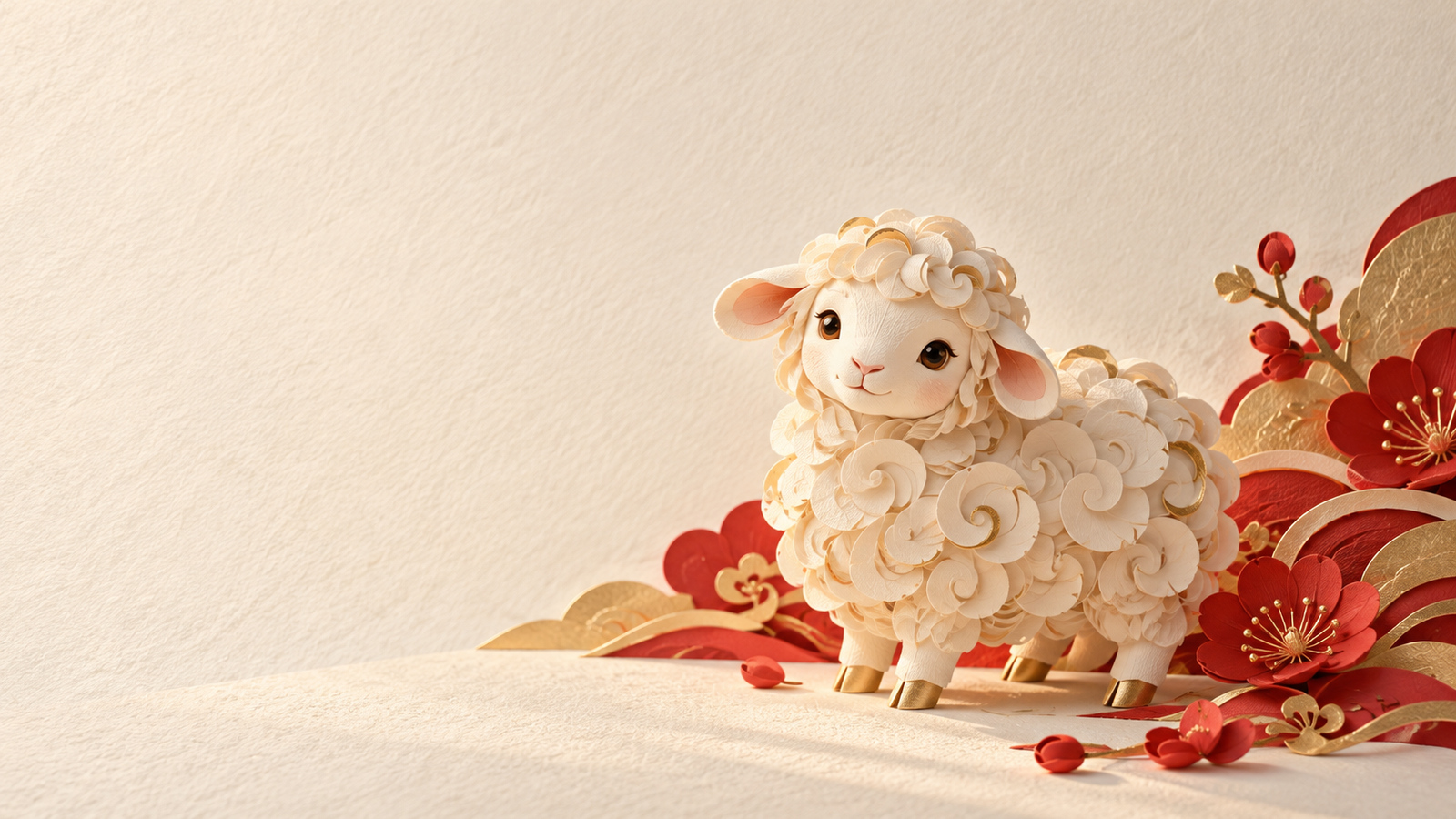
01 · A paper sheep | Image, 1:1
Square 1:1 Chinese New Year greeting artwork on textured ivory paper. One small woolly sheep made from layered paper sits in the lower half, with rounded ears and clear curled fleece. Soft side light reveals the paper edges. A few vermilion and matte gold paper accents stay in the lower right. Keep the upper half plain for a greeting added later. No horse, other animals, lettering, dates, numbers, seals, logos, or watermark.02 · A place saved for you | Image, 4:5
Portrait 4:5 Chinese New Year reunion card artwork. A pale wooden dining table fills the lower half, with one empty wooden chair beside it and a warm lamp to the right. Two narrow blank red paper strips sit at the edge of the background wall, with absolutely no writing or patterns. Natural domestic photography, cream and warm red. Leave a clean pale area above the table. No people, food close-ups, lettering, imitation characters, numbers, logos, or watermark.03 · A Seollal greeting | Image, 1:1
Add “새해 복 많이 받으세요”—a wish for good fortune in the new year—afterward.
Square 1:1 Korean Seollal greeting artwork. One small traditional bokjumeoni drawstring fabric pouch sits in the lower right on a restrained ivory background. Pale pink and soft blue panels, simple woven patterns, visible fabric texture and gentle shadows. Keep the left and upper areas empty. No Chinese lanterns, Chinese couplets, lettering, numbers, seals, logos, or watermark.04 · An old-calendar greeting for someone in Japan | Image, 16:9
For an old-calendar celebrant; name the occasion in your message.
Landscape 16:9 greeting artwork for someone observing Lunar New Year in Japan. Ivory paper, a sparse plum branch entering from the right, a few pale pink blossoms, soft warm light. Leave the left two-thirds empty for a message added later. No kadomatsu, kagami mochi, lanterns, people, lettering, dates, seals, or watermark.05 · Frame A: the empty place | Image, 16:9
Landscape 16:9 home dining room, eye-level locked composition. A pale wooden table extends from the lower left toward the center. One empty wooden chair sits just right of center, its back fully visible. The place on the table directly in front of it is clear, with no cup or bowl. A table lamp with a warm-colored shade stands at the rear right, switched off. Ivory wall, a short plain red fabric accent on the left, natural dusk light. No people, coat, lettering, numbers, or watermark.06 · Frame B: someone is home | Image, 16:9
Connect A to B, type @ in B's prompt, and select A's thumbnail to replace [Image 1]. For your own room photo: Add node → Upload file, select it, then Add to canvas (1); connect and reference it the same way.
[Image 1] is frame A. Keep its exact dining room, pale wooden table, chair, ivory wall, red fabric accent, lamp position, and eye-level camera composition. Add only one ordinary dark gray coat draped over the same chair back, and switch the lamp to a warm glow. The table place in front of the chair remains empty, without a cup or bowl. Landscape 16:9. No people, changed furniture shapes, extra chairs, lettering, numbers, or watermark.07 · Frame C: a cup waiting | Image, 16:9
Connect A and B to C; replace both placeholders through @. A supplies the room, B the coat and lit lamp.
[Image 1] is frame A, the reference for the room, table, chair, and camera position. [Image 2] is frame B, the reference for the dark gray coat's appearance and placement and the lit lamp. Preserve all of these. Add only one plain white ceramic cup in the clear table place directly in front of the chair. The coat stays on the chair back and the lamp glows steadily. Landscape 16:9. No people, hands, embraces, food, lettering, numbers, or watermark.08 · Motion for the three shots | Video, 16:9, five seconds each
Put only the matching paragraph in each shot's Video prompt. These are three separate requests.
A | Start from frame A. Landscape 16:9, one continuous five-second shot, locked camera. Only the lamp at the rear right gradually lights up. The table, chair, red fabric, and empty place stay still. No people, coat, cup, lettering, or cuts.

B | Start from frame B. Landscape 16:9, one continuous five-second shot, locked camera. The dark gray coat stays on the same chair back, the lamp remains steady, and the table place stays empty. No moving furniture or fabric, people, cup, lettering, or cuts.

C | Start from frame C. Landscape 16:9, one continuous five-second shot with an extremely slow push toward the plain white cup. The cup, coat, table, chair, and lamp remain unchanged; the cup does not slide. No people, hands, lettering, new objects, or cuts.
How do three props tell a homecoming story?
Show the empty place first, the coat second, and the cup last: someone was expected, someone arrived, someone is cared for.
Plan A for seconds 0–5, B for 5–10, C for 10–15. The coat and cup arrive between shots; B deliberately holds still, giving viewers time to notice.
1. Enter the shots. Choose Add node → Storyboard script → Edit full screen. Use Add shot for three five-second rows; in column settings, show Image prompt and Video prompt. Enter prompts 5–7 and the matching parts of prompt 8.
2. Make the stills. Under More actions, set Video input mode to Create first frame first; click Create 3 image nodes. Set each to GPT Image 2.5, Size or aspect ratio: 16:9, Resolution: 1K.
3. Generate in order. Select A in the full-screen editor; click Generate first frame. Check A, connect A→B and A→C, generate B, then connect B→C. Insert actual references before generating each later frame.
Compare table edges, chair backs, and lamp positions before generating video.
How do you generate the clips and export the film?
Set all three video nodes before clicking Confirm first frame and generate, which submits the requests immediately.
1. Set the clips. Choose More actions → Create 3 video nodes. In each node, select Seedance 2.0 Mini, open Video settings from the summary beneath the input, and set Resolution to 480p, Aspect ratio to 16:9, and Duration to 5.
2. Generate and watch. Check quotes, first frames, and motion text. Select all three shots in the full-screen editor; click Confirm first frame and generate. Watch for sliding cups, changing coats, or unexpected people.
3. Export. Select a finished Video node and click Open editor in the toolbar above it. Check the timeline for A→B→C order, unwanted frames at the joins, and actual duration, then click Export video.
Check the exported file's length, too. Add “There's always a place for you” and music you have permission to use in your own editor.
The three-shot video walkthrough covers the timeline workflow in more detail.
How many credits does a card or reunion film cost?
One 1K card costs 2 credits; the three-shot 480p film costs 111, including its first frames.
Prices dated October 29, 2026; each asset is generated once.
| Output | Calculation | Total | Tradeoff |
|---|---|---|---|
| One card | GPT Image 2.5 1K: 1 × 2 | 2 credits | Add type separately |
| Three-shot film, 480p | Stills: 3 × 2; video: 3 × 5 × 7 | 111 credits | Check composition and continuity first |
| Three-shot film, 720p | Stills: 3 × 2; video: 3 × 5 × 10 | 156 credits | Higher resolution doesn't prevent prop changes |
| Separate card plus 480p film | 2 + 111 | 113 credits | Includes a card beyond the three first frames |
Redoing one five-second 480p clip costs 35 credits, or 37 with its 1K first frame. Check the button quote before submitting.
When should you use a real family photo instead?
Use the original photo when people's actual appearance is the point of the greeting.
References don't guarantee identical faces or furniture. Add type around the original family photo if likeness matters; present the prop story as an illustration of homecoming.
For drifting props, fix the still first and reduce motion. If needed, edit the three stills into a sequence; add words and music afterward.
Frequently asked questions
When is Lunar New Year in 2027?
February 6. In the Chinese zodiac, it begins the Year of the Goat, also called the Year of the Sheep.
Should every card say Chinese New Year?
No. Use the recipient's own holiday name. Lunar New Year works as an umbrella term; Seollal is the Korean holiday, and a Japanese old-calendar greeting needs that specific context.
Does typing [Image 1] attach my reference?
No. Connect the source image to the target Image node, type @ in the prompt, and select its thumbnail. Replace the placeholder with that actual reference.
What does the three-shot film cost?
111 credits at 480p: 6 for three GPT Image 2.5 first frames at 1K, plus 105 for three five-second Seedance 2.0 Mini clips. The 720p version totals 156 credits; regenerations cost extra.
Write the note and make the card first. For video, check stills before setting options and generating. Start with prompt 1 or 5 in a new canvas; the canvas walkthrough shows connections.